Diwali Cinematic Couple AI Video: Make the Viral Fireworks Reel in Google Flow
Make the viral Diwali cinematic couple AI video in Google Flow: two character sheets, one short prompt, exact settings, and fixes for the mistakes I hit.
Last updated: 8 November 2026. Google Flow changes its models and credit costs often, so I'll update this guide when they change.
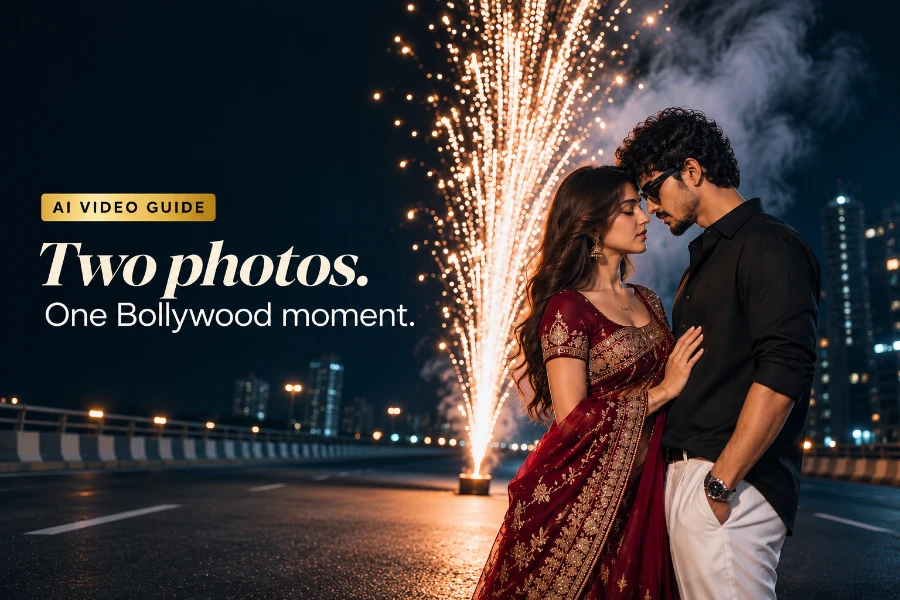
This Diwali, one reel style took over Instagram: a couple on an empty city highway at night lights a firework fountain, then holds hands, twirls and ends in an embrace as sparks and smoke rise behind them. It looks like a scene from a Bollywood film, but it's made with AI from two photos.
I made my own version in Google Flow using two AI character sheets and a one-line prompt. Below are the exact settings, the prompt, what went wrong, and how to fix it. You can also download my result to use as your reference video.
Download video
My finished reel, with music added, is on Instagram: watch the reel on @bhagatedits.
What you need for a Diwali couple AI video
A reference video (9:16): gives Flow the scene, the camera moves and the choreography. I used the highway fireworks clip; you can download mine above.
Two character sheets: tell Flow exactly who replaces each person. I made one woman and one man in ChatGPT.
Google Flow: swaps the characters while keeping the scene. I used the Flow app on my phone.
A video editor: adds the song that makes the reel land. I used my usual editing app.
Step 1: Choose a reference video
Choose a vertical (9:16) clip with exactly two people, both fully visible for most of the clip, with clear movement and not too many cuts. Night scenes with fireworks work well because the light is dramatic and hides small AI flaws.
Short on time? Download my result above and use it as your reference. It already has the scene and moves you want.
If you use another creator's clip as a reference, use it only to guide your own generation. Don't repost their video, and credit them if you share a behind-the-scenes post.
Step 2: Make a character sheet for each person
This is the step most people skip, and it decides whether your faces stay consistent. A character sheet is one image showing the same person from several angles: full body, a face close-up, a three-quarter view and a side profile, all on a plain background.
I made both sheets in ChatGPT. The woman is my page's AI avatar in a red embroidered saree. The man wears a black shirt and white trousers. A plain lavender background kept both sheets clean, so Flow had nothing to confuse with the scene.
You can use this template. Replace the words in brackets:
Create a realistic character reference sheet of [describe the person: age, face, hair, build]. Wearing [full outfit with colours and details, plus accessories]. Layout: one full-body front view on the left, and on the right a face close-up, a three-quarter view and a side profile. Same person, same outfit and same accessories in every view. Plain light lavender studio background, soft even lighting, sharp focus, photorealistic, no text, no logos.
Using a real photo instead? Make the sheet from photos of yourself, or of someone who has agreed to it. Never make videos of real people without their permission.
Step 3: Upload everything in Google Flow
Open Google Flow and start a new project.
Tap + and add three things: the reference video first, then the man's character sheet, then the woman's character sheet.
Open the settings and choose:
Aspect ratio: 9:16
Quality: 720p
Outputs: x1
Model: Omni 1.2 Flash
In my account, editing a video this way showed 60 AI credits per generation. A plain 10-second text-to-video showed 30. Keep that in mind if your credits are limited: one careful attempt is better than five rushed ones.
Step 4: Paste the prompt and generate
This is the exact prompt I used. It's short on purpose: the reference video already holds the scene, so the prompt only has to say what to change.
replace the both character with these reference images don't change the scene
Tap generate and wait. When it's done, preview the whole clip before downloading. Check the faces in the close-up moments and the hands in the hand-hold.
Optional, a more detailed version. My result changed the man's sunglasses into clear glasses. If an accessory matters to you, name it in the prompt. This version spells everything out:
Replace the man in the video with the man from the first character sheet and the woman with the woman from the second character sheet. Keep their faces, hairstyles, outfits and accessories exactly as in the sheets, including the man's black sunglasses. Do not change the scene, camera movement, timing, lighting, fireworks or background.
Step 5: Add music and post
I added the song in my editing app, then exported at 9:16 for Reels. Pick a romantic, slow-building track so the firework burst lands on the beat. Use the song from Instagram's own audio library when you post, so it stays licensed.
What went wrong in my version, and how to fix it
An accessory changed. In my version, the man's black sunglasses became clear glasses. Fix: name the accessory in the prompt, or use a character sheet without it.
The two people swap identities. Flow can mix up who is who. Fix: upload the man's sheet and the woman's sheet in a clear order and refer to them in the prompt as "first sheet" and "second sheet".
The face looks different in close-ups. This usually happens when the sheet shows only one angle. Fix: use a sheet with a close-up, a three-quarter view and a profile.
The outfit colour drifts. A busy background on the character sheet causes this. Fix: remake the sheet on a plain background.
Hands merge in the hand-hold. This is a common AI video weakness. Fix: pick a reference where the hands are visible but small in the frame, or regenerate.
FAQ
Which app makes the viral Diwali couple AI video? I used Google Flow with the Omni 1.2 Flash model. You upload a reference video and two character sheets, then give a short prompt to replace the characters.
Can I make it with my own photo instead of an AI character? Yes. Make a character sheet from your own photos and use that in Flow. Only use photos of people who have agreed to it.
Why does it cost 60 credits? Editing an existing video with reference images showed 60 AI credits in my account, compared with 30 for a plain 10-second video. Credit costs can change, so check the number Flow shows before you generate.
Can I make the video horizontal? Flow also offers 16:9, but this trend is made for Reels. Keep 9:16 and use a vertical reference video so the framing matches.
Why did my outfit or accessories change? The model sometimes simplifies details. Name the item in the prompt, keep the character sheet background plain, and show the item clearly in every angle of the sheet.
More Diwali couple prompts to try
Want a still photo in the same mood for your thumbnail or a carousel post? These prompts from the Visulora gallery work well:
Diwali Couple Dance – Firework Twirl
Golden Fireworks Romance couple prompt
Lehenga Couple – Diwali Smoke and Sparks
Making a solo reel instead? Read my guide to the viral Diwali dupatta AI video, or browse all my Diwali AI photo prompts.
If you make your own version, tag @bhagatedits on Instagram. I'd love to see it.