Dil Ruba Dil Nashin Reel: CapCut Template, VN Code & AI
Make the viral Dil Ruba Dil Nashin reel two ways: the free CapCut template and VN QR code, or Google Flow with your photo and my one-line prompt.
By Rupesh Bhagat · · Updated
Last updated: 14 November 2026. Templates and Flow settings change often, so I'll update this guide when they do.
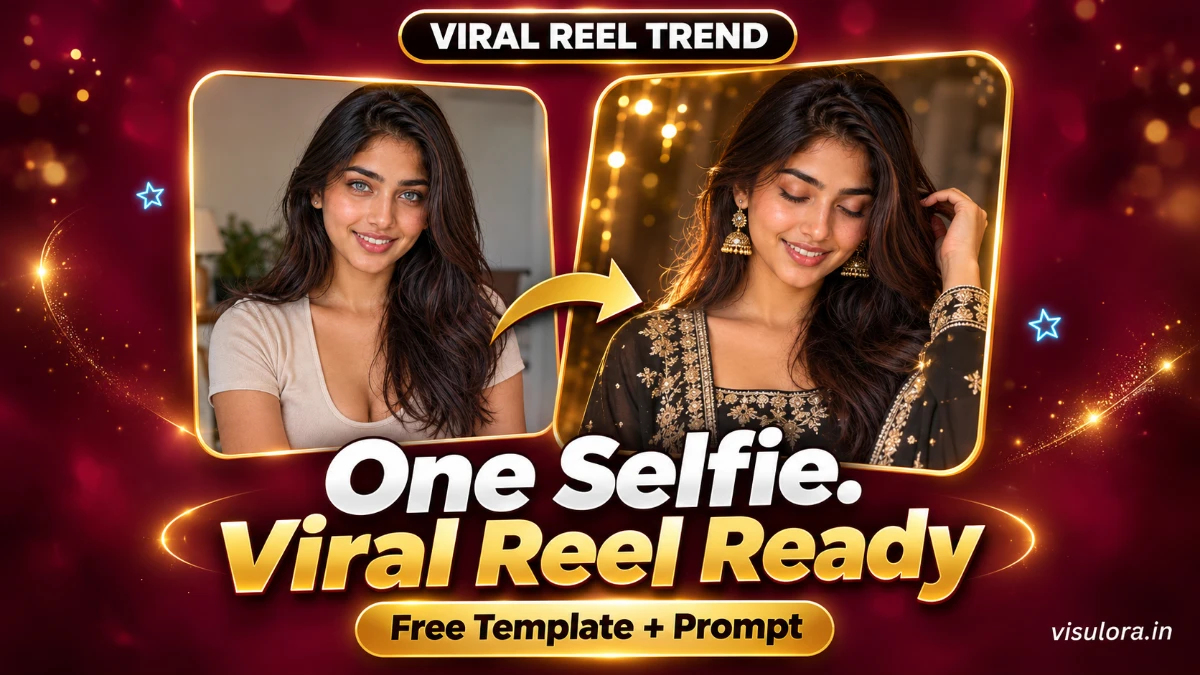
The Dil Ruba Dil Nashin reel is everywhere this week: a girl in a traditional outfit, soft glowing light and the song's lyrics timed to every move. You can make your own version two ways, and both are free:
Method 1: CapCut template or VN code. You record a short clip of yourself, and the template adds the lyrics, effects and cuts. It takes about 2 minutes.
Method 2: Google Flow. You upload the trending video and one photo of yourself, and AI puts you into the exact same scene. This is how I made mine.
My finished reel, with the song, is on Instagram: watch the reel on @bhagat_edits.
Which method should you choose?
Method 1: Template (CapCut / VN)
Method 2: Google Flow (AI)
You need : Your own video clip + One photo of yourself
Time : About 2 minutes5–10 minutes
Cost : FreeAbout 30 Flow credits (free credits work)
Result : Your own clip with the trend's lyrics and effectsYou inside the original trending scene
No good clip of yourself? Use Method 2. Want it done in two minutes? Use Method 1.
Method 1: Use the CapCut template or VN code
Option A: CapCut template
Update CapCut from the Play Store or App Store. An old version is the most common reason a template won't open.
On your phone, open the template link: Dil Ruba Dil Nashin CapCut template
Tap Use template.
Select your video (a 9:16 vertical clip works best) and tap Preview.
Check that the lyrics don't cover your face, then tap Export and choose 1080p.
Option B: VN QR code
Take a screenshot of the QR code below.
Open the VN app and tap the scanner icon on the home screen.
Tap the gallery icon in the scanner and select your screenshot.
Tap Use template, select your clip, preview and export at 1080p.

Tips for the template:
Record in good light with your face in the centre of the frame. The lyrics sit at the side.
Wear red, maroon or gold, or a traditional outfit. Warm colours match the trend's glow.
Keep your movement slow and graceful. A small smile and a hair touch work best.
Method 2: Make it with Google Flow
Step 1: Get a reference video
You need the trending clip as a muted 9:16 video, 15 seconds or shorter.
Easiest option: download my result above. It has no sound and is ready to upload.
Using another clip? Remove the sound in CapCut or VN first. Videos with audio often fail in Flow. Use the clip only as a reference, and don't repost someone else's video as your own.
Step 2: Upload the video and your photo
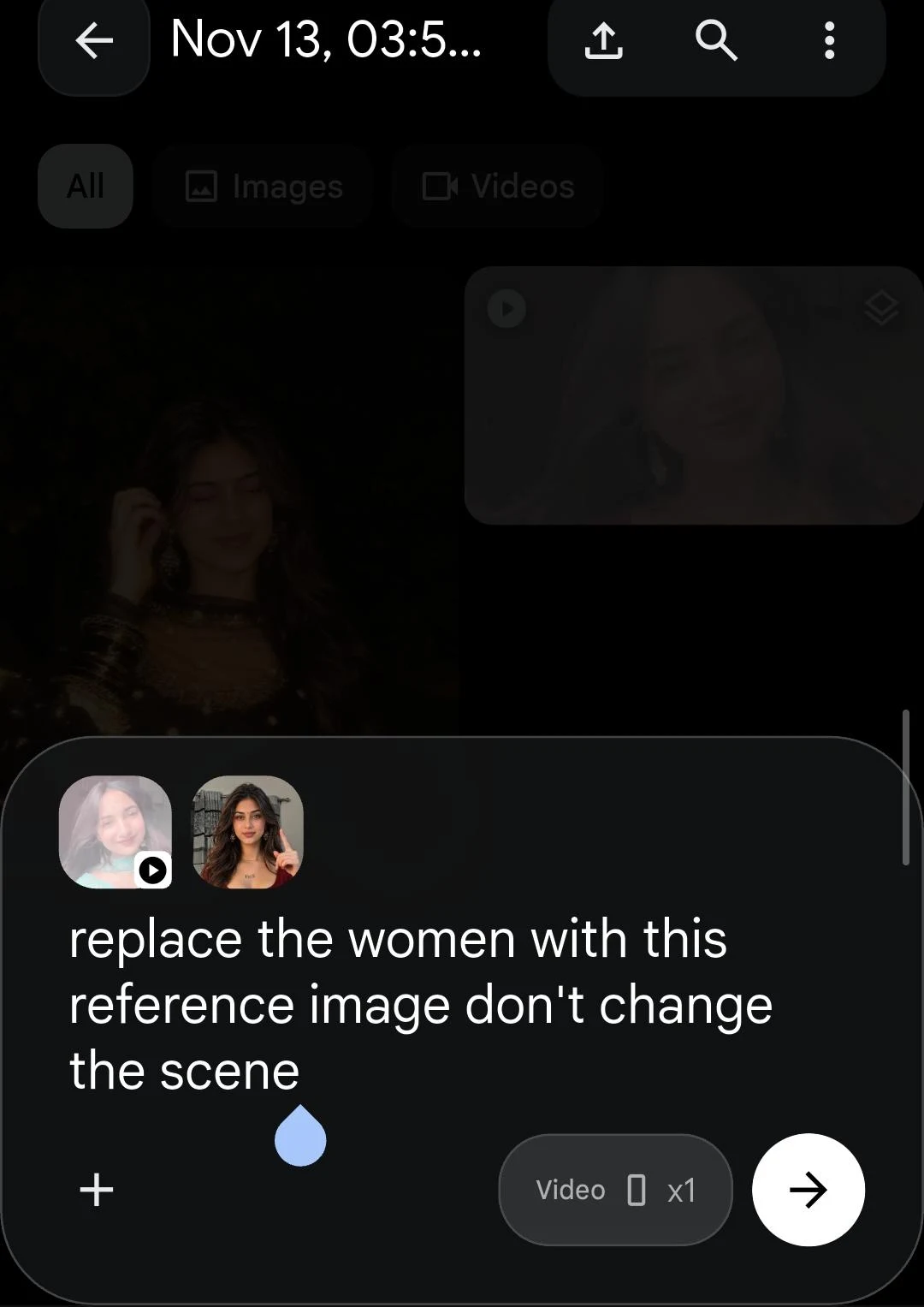
Open Google Flow, start a new project and choose Video.
Tap + and add the reference video first, then your photo.
Use a clear, front-facing photo with your face fully visible.
Step 3: Choose the settings
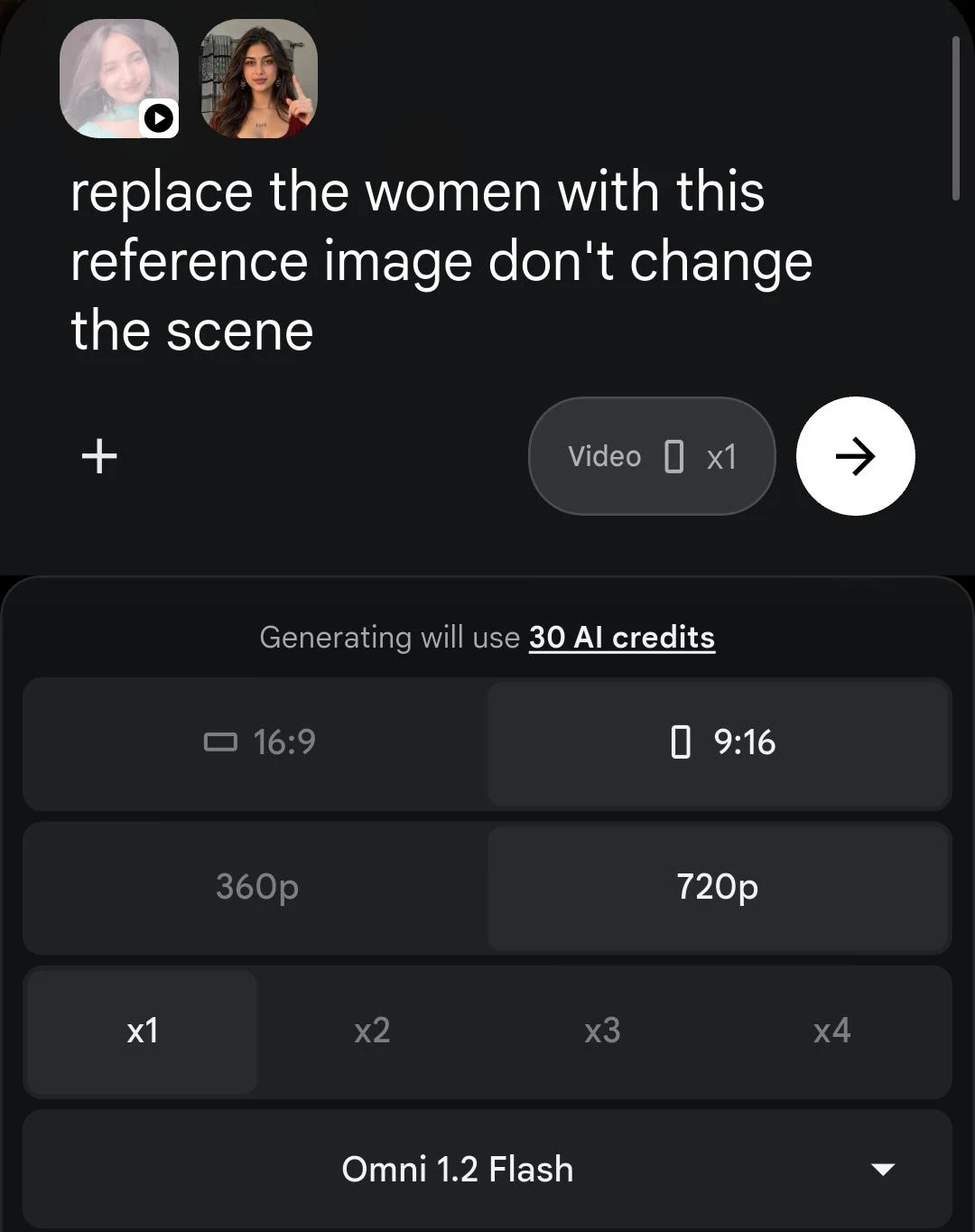
These are the settings I used:
Aspect ratio: 9:16
Quality: 720p
Outputs: x1
Model: Omni 1.2 Flash
Flow showed 30 AI credits for this. Check the number before you generate.
Step 4: Paste the prompt and generate
This is the exact prompt I used. It's short on purpose: the video already holds the scene, so the prompt only says what to change.
replace the women with this reference image don't change the scene
For boys: change "the women" to "the man".
Tap the arrow and wait. Watch the whole clip before you download it, and check your face in the close-ups.
Step 5: Add the song and post
Download the video, open Instagram, create a Reel and add Dil Ruba Dil Nashin from Instagram's music library. Adding the song inside Instagram keeps it licensed. If you add it in an editor and upload the file, Instagram may mute your reel.
Common problems and fixes
The CapCut link does nothing. Update CapCut, or use the VN QR code instead. Some templates don't open in every region.
VN won't read the QR code. Scan the screenshot from inside VN's scanner, not with your phone camera, and make sure the screenshot is sharp.
The face in Flow isn't you. Use a clearer, front-facing photo. If Flow shows an error, try a different photo of yourself. That's what fixed it for me on another trend.
Flow rejects the video. The clip probably has sound or is too long. Mute it and keep it within 15 seconds.
FAQ
Is the Dil Ruba Dil Nashin template free? Yes. The CapCut template and the VN code are free to use. Google Flow uses credits, and free accounts get 50 a day, which is enough for this.
Which is better, CapCut or VN? Both give the same edit. Use whichever app you already have. If the CapCut link doesn't open in your region, VN usually works.
Can I make this reel without recording a video? Yes. Use Method 2: Google Flow needs only one photo of you.
Can I change the lyrics or the photo after loading the template? Yes. In both apps you can replace your clip before export. Text changes depend on the template: some let you edit the lyrics, others lock them.
Can I use someone else's photo? Only with their permission. Don't make videos of real people without their consent.
Try these next
Want another trending AI reel? Follow my Jatayu edit guide, which uses the same Flow method with a 2-line Hindi prompt, or the Diwali cinematic couple AI video to replace two people at once.
For a matching photo for your thumbnail, browse the Visulora prompt gallery.
If you make your own version, tag @bhagat_edits on Instagram. I'd love to see it.