Flex Aura Viral Trend: Video Prompt and Tutorial
Make the viral Flex Aura reel with your face in Google Flow: free reference video, the one-line prompt I used, exact settings and fixes. Just 20 credits.
By Rupesh Bhagat ·
Last updated: 28 November 2026. Google Flow changes its models, modes and credit costs often, so I'll update this guide when they change.
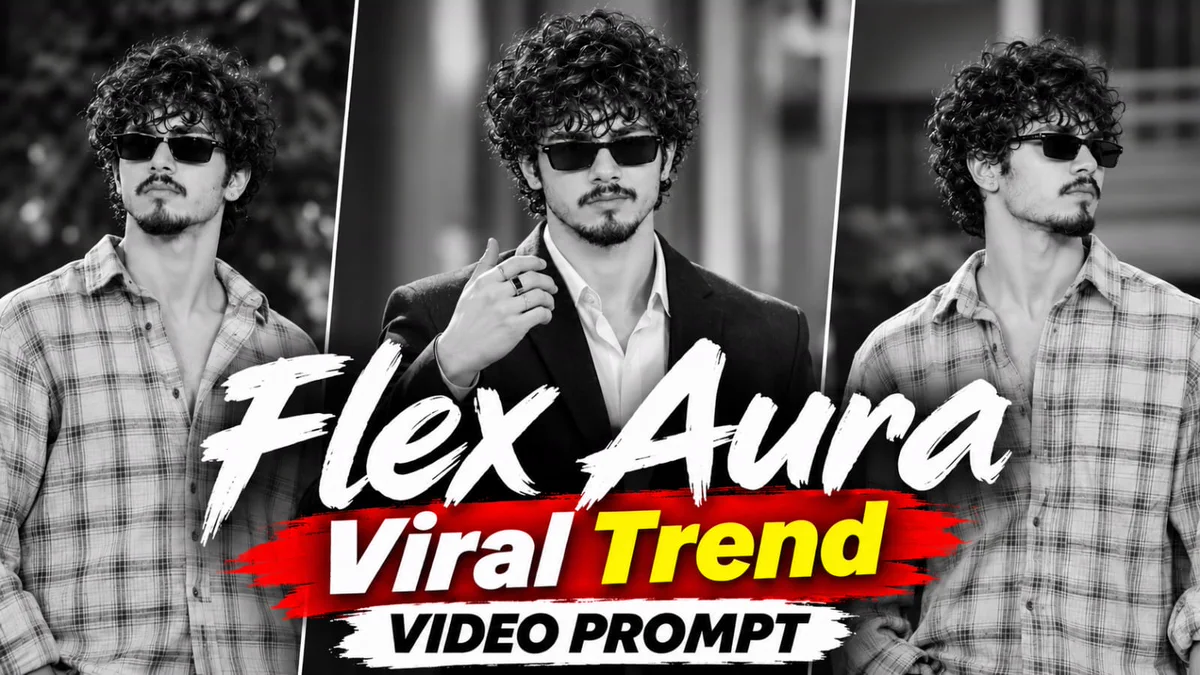
The Flex Aura trend is the black-and-white "main character" reel that's all over Instagram right now. A guy in a checked shirt walks past a white wooden fence with a jacket over his shoulder, then the edit cuts through quick, moody shots: a close-up as he looks down, a lazy pose on a leather sofa, and a cool hand gesture straight at the camera. No dialogue, no big effects. Just pure attitude, which is exactly why people call it "aura".
You don't need a fence, a sofa or a film crew. I made my version in Google Flow with one photo of myself, a ready-made reference video and a one-line prompt. It cost only 20 credits. Below you'll find the exact steps, the prompt, the settings and the fixes for the problems you're most likely to hit. You can watch and download the reference video right here.
My finished reel, with music added, is on Instagram: watch the reel on @bhagat_edits.
What is the Flex Aura trend?
It's a very short, cinematic "flex" edit, about 5 seconds long, in a soft black-and-white grade. The shots go like this:
The walk: walking along a white wooden fence with trees behind, a jacket slung over one shoulder.
The look down: a tight close-up, eyes down, calm and serious.
The sofa: leaning back on a brown leather sofa, a bookshelf and a brick wall behind.
The gesture: a close-up in a chair, pointing a relaxed hand toward the camera.
Every scene, the camera movement and the black-and-white look come from the reference video. Flow only has to swap the person, which is why one short prompt is enough.
What you need for this trend
The reference video. Download it from the top of this guide. It's 16:9, about 5 seconds long and muted.
One clear full-body photo of yourself, in the outfit you want in the reel.
A Google account. Flow runs on it, and new accounts get free credits.
Google Flow. Open it at labs.google/flow in your browser or use the Flow app.
Instagram, to add the audio at the end.
Step 1: Download the reference video
Scroll back up to the video at the top of this guide and tap Download video. Save it to your phone's gallery.
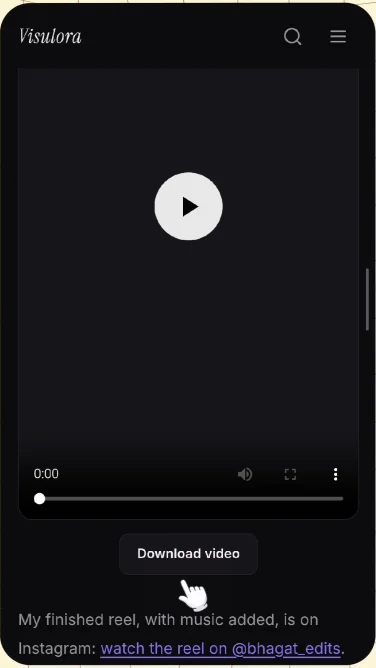
The video is muted on purpose. Flow often fails with videos that have sound. Using a different clip? Mute it in CapCut or VN first, and use any clip only as a reference for your own generation. Don't repost someone else's reel as your own.
Step 2: Pick the right photo
For this trend I didn't make a character sheet. I used one full-body photo of myself: standing straight against a plain grey wall, sunglasses on, hands in my pockets, outfit fully visible from head to shoes.
A good photo for this trend has:
Your full body in frame, because the walk and the sofa shots show you from head to knees.
Your face clearly visible. If you wear sunglasses in the photo, Flow keeps them in every shot.
A plain background, so Flow doesn't mix your background into the scenes.
Good daylight. Blurry or dark photos give a face that doesn't look like you.
Want an even closer match? Use a character sheet instead of a single photo. The prompt and the steps for it are in my Luxury Mafia guide.
Step 3: Copy the prompt
This is the exact prompt I used. It's short on purpose: the video already holds every scene, so the prompt only has to say what to change.
replace the man with this reference image don't change the scene
For girls: change "the man" to "the woman".
Prefer a more detailed prompt? This English version says the same thing and adds a few guardrails. Try it if the short one changes your face, your outfit or skips a shot:
Use the reference video for everything: every shot, the camera movement, the timing, the soft black-and-white colour grade, the white wooden fence and trees, the brown leather sofa with the bookshelf and brick wall, and the close-up in the chair with the hand gesture. Replace only the man with the person in my reference image. Keep their face, hairstyle, hair texture, beard, sunglasses and outfit exactly as in my image in every shot. Do not add any text, titles, captions or logos.
Step 4: Upload the video and your photo
Open Google Flow and sign in.
Tap + and add the reference video first.
Tap + again and choose Images (or Library, if you've used the photo in Flow before). Add your photo.
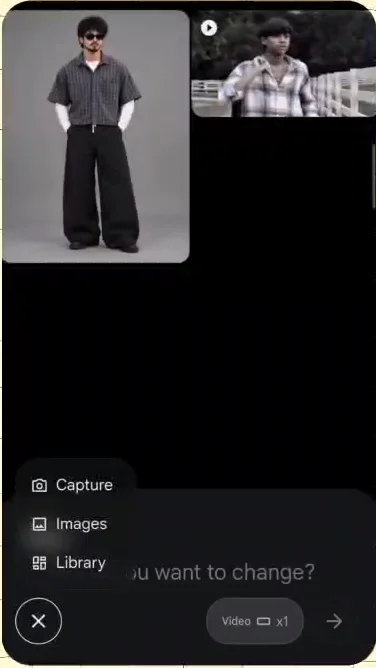
Check that both are attached to the prompt box. You should see two small thumbnails above it, the video and your photo, and the box says "What do you want to change?". If your photo isn't attached, Flow keeps the original boy's face.
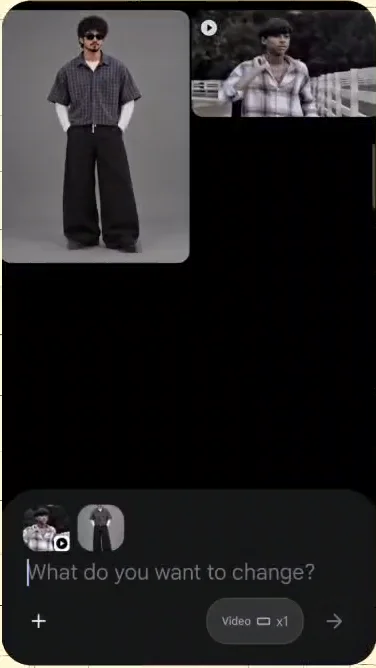
Step 5: Paste the prompt, set it up and generate
Paste the prompt into the box, then open the settings and set:
Aspect ratio: 16:9 (horizontal, like the reference video)
Quality: 720p
Outputs: x1
Model: Omni 1.1 Flash
With these settings Flow showed "Generating will use 20 AI credits". That's less than half of what longer trends cost, because the clip is so short. Check the number Flow shows before you tap generate, because costs change.
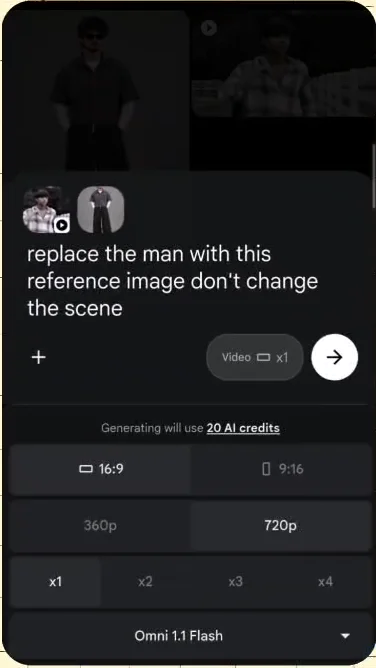
Tap the arrow and wait. Don't close the app while it runs.
Step 6: Check the result
When it's ready, watch the whole clip before you download it. Check three things:
The face: is it you in the close-ups, with your hair and beard?
The outfit: does it stay the same in every shot?
The scenes: are the fence walk, the close-up, the sofa and the hand gesture all there?
Here's what my result looked like:
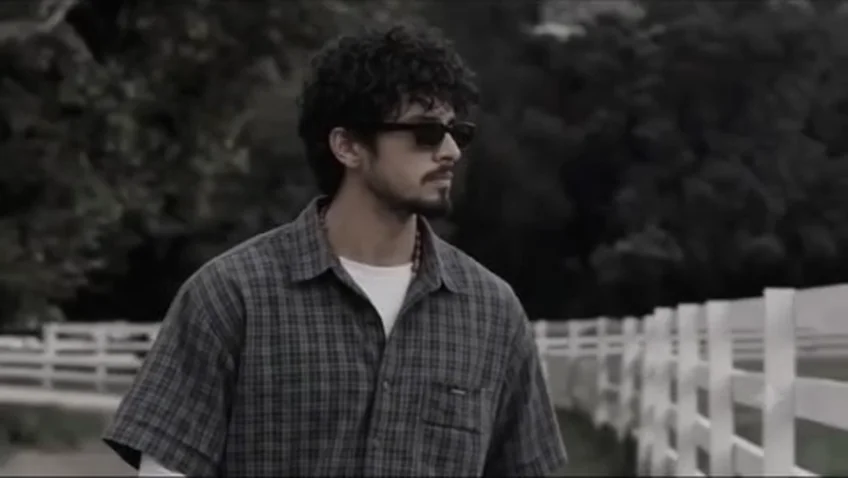
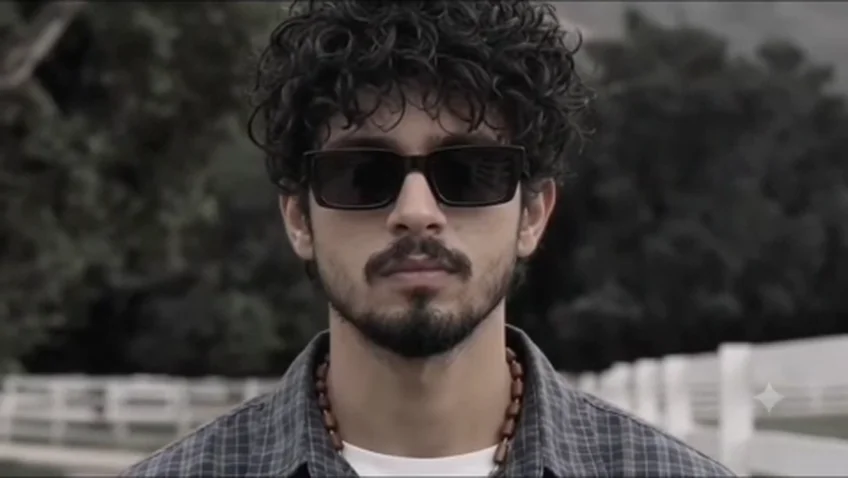
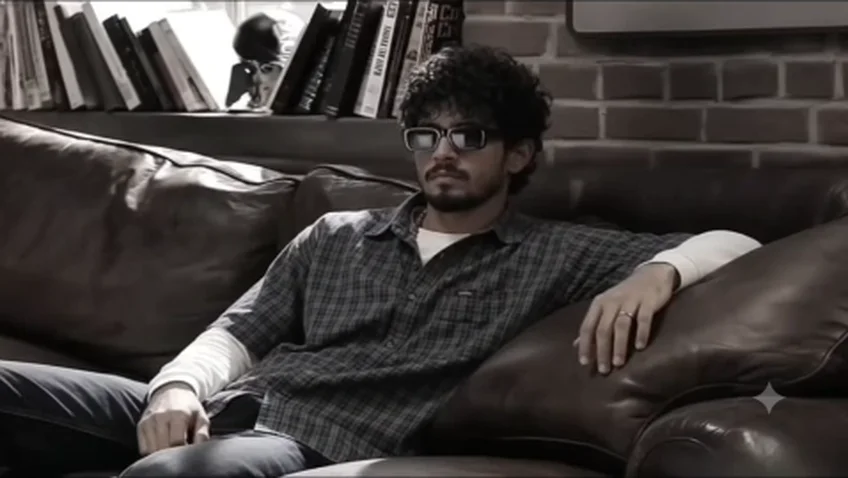
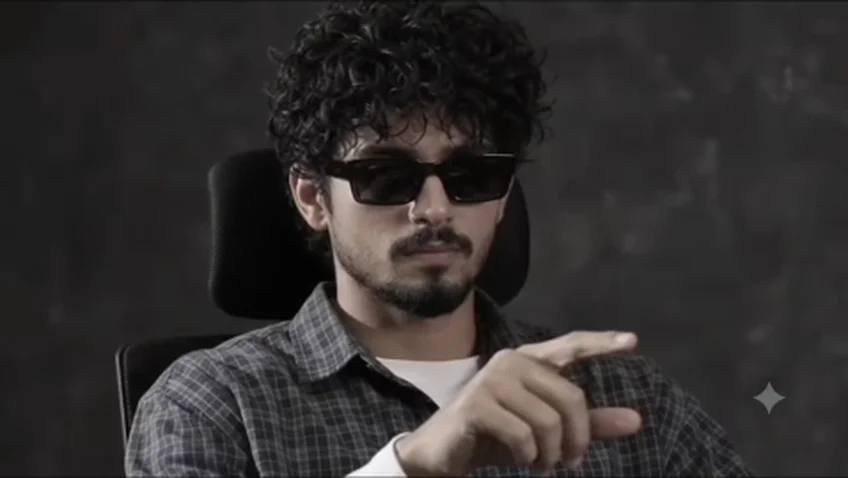
What changed in my version: my curly hair, beard and sunglasses came through in every shot, but Flow mixed my plain shirt with the checked shirt from the reference video, so I ended up in a checked shirt over my white tee. It also added a bead necklace in the close-up that isn't in my photo. If you want your outfit exactly as it is, use the detailed prompt and generate again. Flow gives a slightly different result every time.
Step 7: Add the audio and post
Download your video from Flow.
Open Instagram, tap +, choose Reel and select your video.
Tap the music icon and search for the trending audio, or open any Flex Aura reel, tap the audio name and choose Use audio.
Line up the cuts with the beat, add a caption and post.
Adding the audio inside Instagram keeps it licensed. If you add a song in an editing app and upload the file, Instagram may mute your reel.
Vertical or horizontal? The reference is 16:9, so your video comes out horizontal. Instagram shows it with bars above and below, which suits this cinematic trend. If you want it full-screen, place it in a 9:16 frame in CapCut or VN and zoom in slightly.
Want a longer reel? The clip is only about 5 seconds. Generate it twice and join both results in CapCut, or loop it once to match the audio.
Common problems and fixes
The face isn't you. Your photo wasn't attached, or it was blurry. Fix: check that both thumbnails sit above the prompt box before you generate, and use a sharp, well-lit photo.
Your outfit changes. Flow borrows a little from the checked shirt in the reference. Fix: use the detailed prompt, or wear a checked shirt in your photo so both match.
Your hair changes in the walking shot. That shot is small and from a distance. Fix: use a photo where your hair is clearly visible, or use a character sheet with a side profile.
The sunglasses come and go. Fix: keep them on in your photo, or take them off. Flow copies whatever your photo shows.
Flow shows an error when you upload the video. Fix: the clip probably has sound. Use the muted reference from this page, or mute your own clip first.
Flow shows an error with your image. Some images just don't work. Fix: try a different photo of yourself before you change anything else. That fixed it for me on the Jatayu edit.
Tips for a better reel
Wear sunglasses. They carry the "aura" in this trend and help Flow keep your look the same in every shot.
Keep a straight face in your photo. A calm, serious look fits this edit better than a big smile.
Simple outfits work best. A shirt with a plain tee under it, or a checked shirt, matches the original scenes.
Post while the audio is trending. Trends like this peak within a couple of weeks.
FAQ
Which app is used for the Flex Aura trend? Google Flow with the Omni 1.1 Flash model. You attach the reference video and your photo, paste a one-line prompt and generate.
How many credits does it cost? My 16:9, 720p video with one output cost 20 credits. New Flow accounts get free credits, so you can usually make it for free. Check the cost Flow shows before you generate.
Do I need a character sheet? No. One clear full-body photo worked for me here. A character sheet can help if your hair or face changes between shots.
Can girls make this trend? Yes. In the prompt, change "the man" to "the woman".
Why is my video black and white? The grade comes from the reference video. That's part of the trend, so keep it.
Can I use someone else's photo? Only with their permission. Don't make videos of real people, including celebrities, without their consent.
Try these next
Liked this one? Make the Luxury Mafia trend, another dark "boss" edit with a mansion and two black SUVs, or the Sher of Arabia trend with its funky "fa fa fa" text. For something completely different, build a castle from the stones people throw at you in the Stone Castle trend.
Want a still image in the same style for your profile? Try the cinematic black and white portrait prompt or the retro sunglasses portrait prompt.
If you make your own Flex Aura reel, tag @bhagat_edits on Instagram. I'd love to see it.