Guzarishon Pe Viral Trend: AI Glow-Up Reel in Google Flow
Make the viral Guzarishon Pe glow-up reel with your face in Google Flow. Girl and boy prompts, exact settings, adding the song, and fixes for common errors.
By Rupesh Bhagat · · Updated
Last updated: 19 November 2026. Google Flow changes its models, modes and credit costs often, so I'll update this guide when they change.
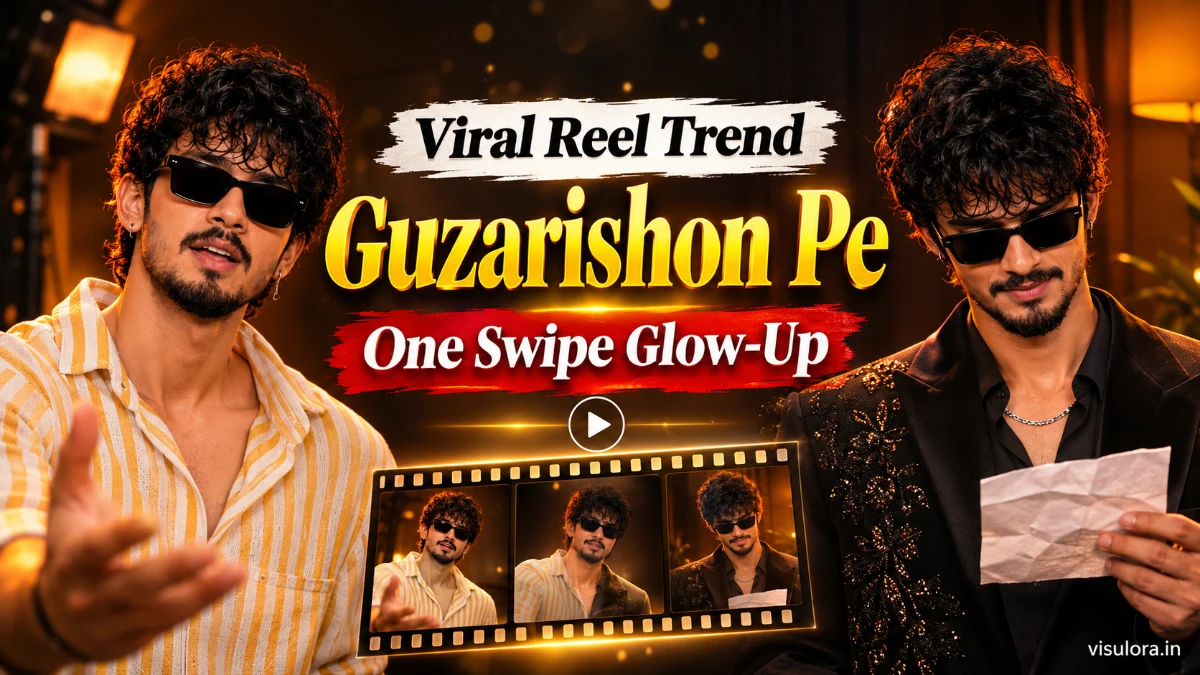
The Guzarishon Pe trend is the glow-up reel everyone is posting right now. It starts with a simple, everyday look. The person softly sings "guzarishon pe", sweeps a hand across the face, and in a blink the look changes into a festive yellow suit with a dupatta and big earrings. Then it switches back and forth on the beat and ends with a love letter in hand.
The boys' version is just as popular: a simple shirt and a book, a book-swipe across the lens, and a switch into a shiny black party blazer.
You don't need makeup, an outfit or editing skills for either one. With one photo of yourself, a muted reference video and Google Flow, you can make your own version in a few minutes. This guide covers both versions step by step: the prompts, the exact settings, how to add the song, and how to fix the problems most people hit.
Watch this original reel on Instagram credit (@kumarr.utkarsh): watch the original reel
What is the Guzarishon Pe trend?
The trend is built on one short line from the song, "guzarishon pe". The creator lip-syncs it softly, once or twice, in a casual look. Then comes the part that makes people replay it: the transition.
There are three popular versions:
1. Girl version (the original)
Casual look: simple home clothes
Transition: a soft see-through blend, then a hand swipe across the face
Festive look: a yellow suit with a dupatta and big earrings, holding a love letter
2. Boy version
Casual look: a simple shirt, holding a book
Transition: the book swipes across the camera lens
Festive look: a shiny black party blazer, holding a white letter
3. Sartaj kya padhoge version
Casual look: a dreamy pink room with a floral book
Transition: soft romantic cuts
Festive look: the same outfit throughout, playing with a love letter
This guide covers the girl and boy versions in full. The Sartaj version uses the same method; see the FAQ.
What you need before you start
One clear photo of yourself: front-facing, sharp, in daylight, with your full face visible. No sunglasses, mask or hair over the eyes.
The muted reference video for your version (download it below).
A Google account for Google Flow. Free accounts get 50 credits a day.
Instagram, or CapCut or VN, to add the song at the end.
Tip: wear the outfit you want in the casual shots when you take your photo. The prompt takes your everyday clothes from your photo, not from the reference video.
Step 1: Download the reference video
Watch the reference once or twice before you start. Notice when the outfit changes and when the lips move. That makes it easy to check your result later.
Girl version reference (muted, about 10 seconds):
Boy version reference (muted, about 10 seconds:
The references are muted on purpose. Google Flow often shows an error when the video has sound.
Using your own clip instead? Remove the sound in CapCut or VN first, keep it to about 10 seconds, and use it only as a reference for your own generation. Don't repost someone else's reel as your own.
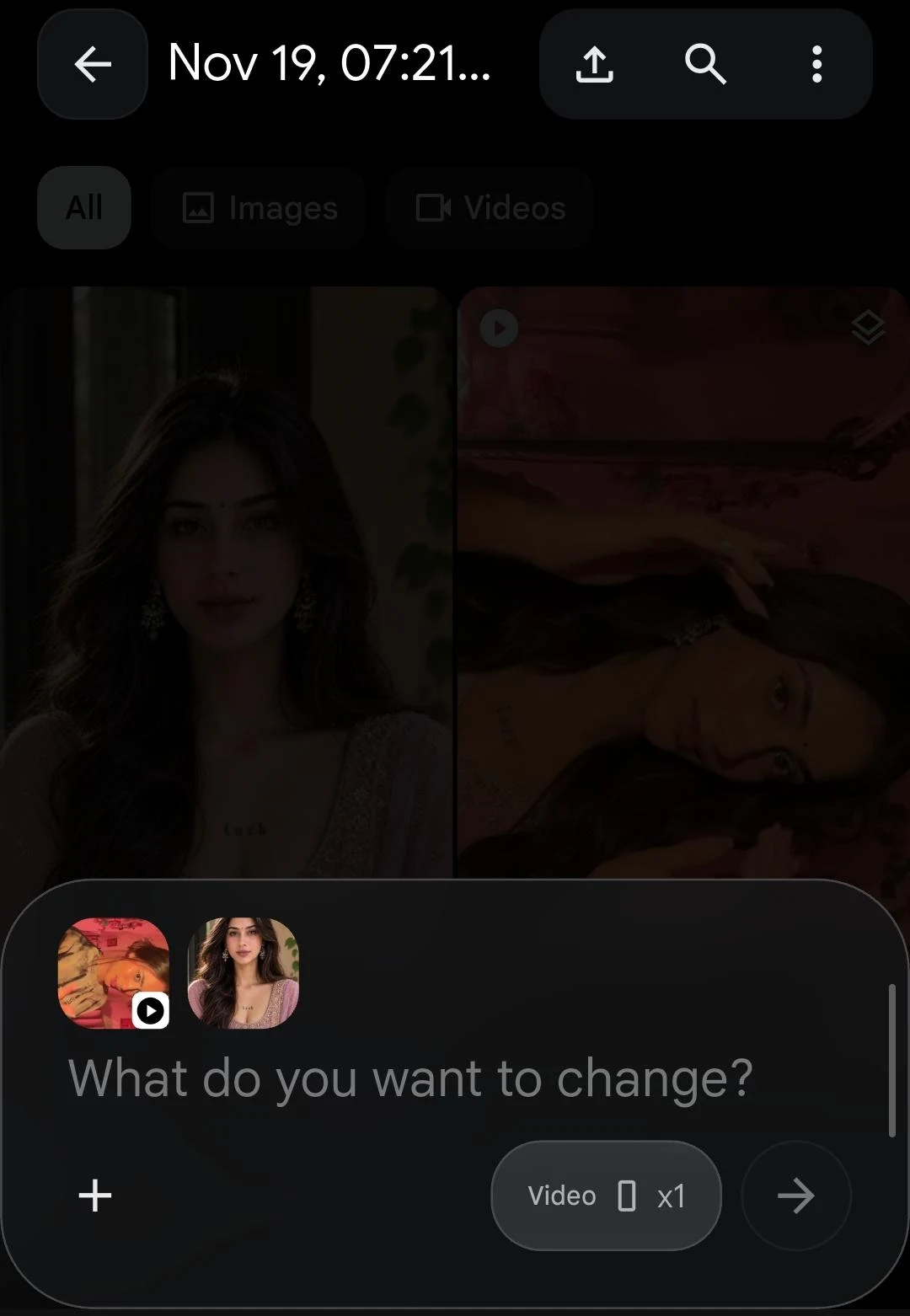
Step 2: Open Google Flow and upload both files
Open Google Flow and sign in with your Google account.
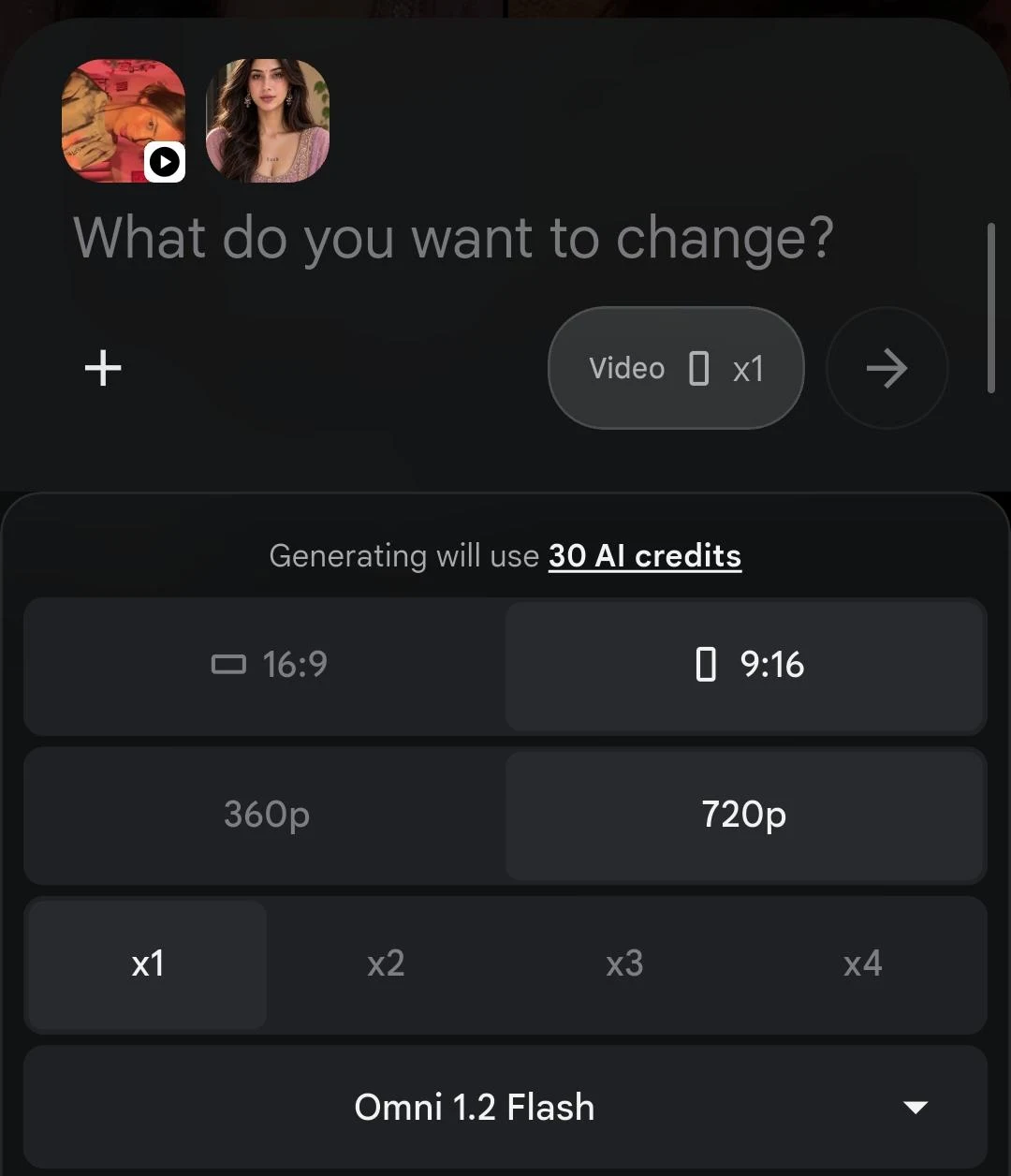
Tap New project and choose video mode with Ingredients, the mode that accepts a video and a photo together.
Upload the muted reference video first, then your photo.
Check that both are selected (ticked or highlighted). If your photo isn't selected, Flow keeps the original face.
In the prompts below, @video1 is the reference video and @image1 is your photo. They must match the order you uploaded them in.
Step 3: Choose the settings
Aspect ratio: 9:16 (vertical, for Reels)
Quality: 720p
Outputs: x1, to save credits for a second try
Model: Omni 1.2 Flash, or the fastest video model Flow shows
Check the credit cost Flow shows before you generate. One careful attempt is better than several rushed ones.
Step 4: Paste the prompt for your version
Girl version prompt
This prompt keeps your face in every frame, puts your own clothes in the casual shots and the yellow suit in the festive shots, and lip-syncs "guzarishon pe" only where the reference does.
Use @video1 only as the reference for motion, timing, camera angle, framing, transitions and expressions. Use @image1 as the only reference for the person's face, hair and identity.
PERSON Show the person from @image1 in every single frame, including close-ups, half-transparent transition frames and when a hand covers the face. Keep the same face shape, eyes, eyebrows, nose, lips, jawline, skin tone, hairstyle and body shape. Never show the face of the woman in @video1, not even for one frame. Do not beautify, age or blend the face.
OUTFITS Casual shots: the person wears exactly the clothes from @image1. Do not copy the casual clothes from @video1. Festive shots: a yellow traditional suit with a matching dupatta and large gold earrings, as in @video1. Follow the outfit order of @video1. After the last transition, the person stays in the yellow suit until the end, holding the white letter in the final shots.
TRANSITIONS Copy every transition from @video1 at the same moment. In the soft blend, show the casual look and the yellow suit look at the same time, both see-through, never a solid yellow frame. In the hand swipe, the person sweeps one arm across the face and the outfit changes as the arm passes.
LIP-SYNC The person softly sings "guzarishon pe" in Hindi, short and light, only when the woman in @video1 moves her lips for those words. At all other times the lips stay softly closed, with gentle smiles and expressions copied from @video1.
SCENE AND CAMERA Keep the same room, walls, decorations, warm lighting, sideways camera angle and framing as @video1. Do not add a new room, new objects or new camera moves.
OUTPUT Vertical 9:16, the same length as @video1, natural skin texture, smooth motion, no music.
AVOID The original face from @video1, face morphing, identity drift, solid yellow frames during the blend, casual clothes after the last transition, singing at other times, extra people, extra fingers, distorted hands, flicker, text, captions, logos, watermarks.
Boy version prompt
Use @video1 only as the reference for motion, timing, camera angle, framing, transitions and expressions. Use @image1 as the only reference for the person's face, hair and identity.
PERSON Show the person from @image1 in every single frame, including both face close-ups, right after each book swipe, and when the book or a hand covers the face. Keep the same face shape, eyes, eyebrows, nose, lips, jawline, beard or moustache (or clean-shaven), skin tone and hairstyle. Never show the face of the man in @video1, not even for one frame. Do not beautify, age or blend the face.
OUTFITS Everyday shots: the person wears exactly the clothes from @image1 and holds the same book as in @video1 in his hand. Do not copy the shirt from @video1. After the final book-swipe transition: a shiny black party blazer, as in @video1, until the end.
TRANSITIONS Copy every book swipe across the lens and every close-up from @video1 at the same moment.
PROPS Keep the book in every everyday shot, never an empty hand. In the blazer shots, the person holds a white paper letter beside the face, as in @video1.
LIP-SYNC The person softly sings "guzarishon pe" in Hindi, short and quick, only when the man in @video1 moves his lips for those words. In the close-ups and in all blazer shots, the lips stay softly closed, with a soft, confident look.
SCENE AND CAMERA Keep the same room, dark wall, warm orange lamp light, sideways camera angle and framing as @video1 in every shot. Do not straighten the shots, add a new room or add new objects.
OUTPUT Vertical 9:16, the same length as @video1, natural skin texture, smooth motion, no music.
AVOID The original face from @video1, the original face after a book swipe, face morphing, identity drift, missing book, singing in the blazer shots, upright or straightened shots, extra people, extra fingers, distorted hands, flicker, text, captions, logos, watermarks.
Short Hinglish prompt (optional)
A short Hinglish prompt worked for me on the Jatayu edit, where it beat a long English one. I haven't tested it on this trend yet, so try it only if the long prompt keeps failing:
is video mein jo ladki hai uski jagah image wali ladki ko use karo, casual kapde image wale hi rakhna, festive look, transitions aur sab kuch video jaisa hi same hona chahiye
For boys: change "ladki" to "ladka".
Step 5: Generate and check the result
Tap Generate and wait. When it's ready, watch the whole clip and check three things:
The face: is it you in every shot, especially right after each transition and in the close-ups?
The outfit: does it change at the same moments as the reference, and stay festive at the end?
The lips: do they move only on "guzarishon pe"?
If one of these is off, generate again. Flow gives a slightly different result every time, so 2–3 tries is normal.
Step 6: Add the song and post
The prompt makes the lip movement, but the song itself is added at the end.
Easiest way, in Instagram:
Download your video from Flow.
In Instagram, tap +, choose Reel and select your video.
Tap the music icon and search for "Guzarishon Pe", or open any reel from the trend, tap the audio name and choose Use audio.
Line the audio up so "guzarishon pe" lands on the lip movement, then post.
Adding the song inside Instagram keeps it licensed. If you add a film song in an editing app and upload the file, Instagram may mute the reel.
Fine-tuning the lip-sync in CapCut or VN: if the lips look late, move the video a few frames later against the song (or the song earlier). If they look early, do the opposite. A shift of 2–4 frames usually fixes it.
Common problems and fixes
Flow shows an audio error. The reference video still has sound. Upload the muted version. If it still fails, look in Flow's settings for an option that returns a silent video.
The face isn't you. Use a sharper, brighter, front-facing photo, check that it's selected, and generate again.
The original face appears after a transition. This is the most common failure. Keep the "Never show the face of…" lines in the prompt, and generate again.
The blend shows a solid yellow frame. Keep the "both see-through, never a solid yellow frame" line, and generate again.
The casual outfit comes back at the end. Keep the line that says the festive outfit stays until the end. Don't shorten the prompt.
The lips move at the wrong time. Generate again, or fine-tune the timing in CapCut or VN.
Strange hands or extra fingers. A common AI video weakness. Generate again and keep the best result.
Tips for a better reel
Wear a plain outfit in your photo. It makes the glow-up look bigger.
Keep your hair neat. Messy hair can look odd in the close-ups.
Generate 2–3 times and keep the best one.
Post while the song is trending. Trends like this peak within a couple of weeks.
Use a short caption and the trending audio, so the reel is easy to find.
FAQ
Is the Guzarishon Pe trend free to make? Mostly, yes. Google Flow gives free accounts 50 credits a day. Check the cost Flow shows before you generate. The reference video and prompts on this page are free.
Can boys make the Guzarishon Pe trend? Yes. Use the boy version reference and prompt above. The face, hairstyle and beard come from your photo.
How do I make the Sartaj kya padhoge version? Use the same method with a muted Sartaj reference. That reel is longer than 10 seconds, so cut it into parts of about 10 seconds each, generate each part with the same photo and prompt, then join the parts in CapCut or VN before adding the song.
Why does my face look different in the video? Usually because of the photo: it's blurry, dark, filtered or taken from the side. Use a clear front-facing photo in daylight.
Can I use someone else's photo? Only with their permission. Don't make videos of real people without their consent.
Try these next
Liked this one? Make the Jatayu edit, with a giant eagle rising behind you, or the Dil Ruba Dil Nashin reel with a free CapCut template.
Need a festive photo for your thumbnail? Browse the Visulora prompt gallery.
If you make your own Guzarishon Pe reel, tag @bhagat_edits on Instagram. I'd love to see it.