Bhagwan Ek Thar De Do: Instagram Viral Trend Video Prompt
Make the viral Bhagwan Ek Thar De Do reel with your face in Google Flow: free reference video, the one-line prompt I used, exact settings and fixes.
By Rupesh Bhagat · · Updated
Last updated: 22 November 2026. Google Flow changes its models, modes and credit costs often, so I'll update this guide when they change.
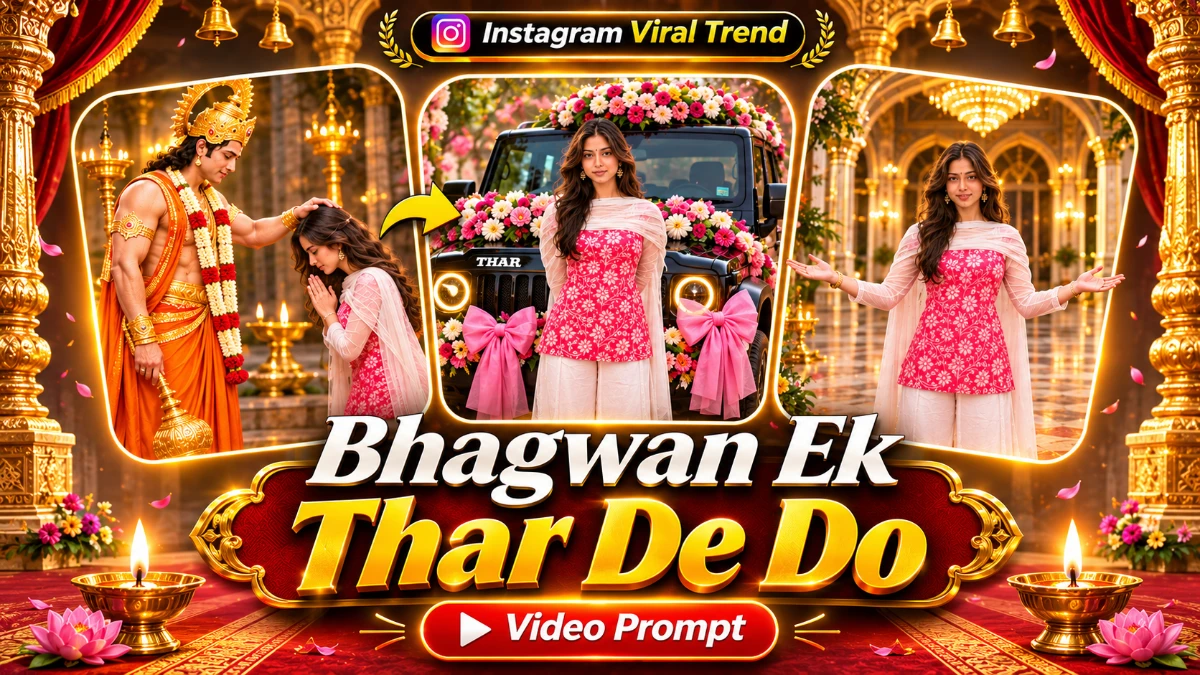
The Bhagwan Ek Thar De Do trend is the wish reel everyone is posting right now. It opens with a girl folding her hands in a temple while Bhagwan blesses her with a hand on her head. Then her wishes come true one after another: she's standing in front of a black Thar, leaning on a white luxury car, flexing in a gym, and laughing in a palace hall with money falling around her. In between, she dances in a simple studio, and it all cuts on the beat.
You don't need a Thar, a palace or editing skills to make it. I made my version in Google Flow with one reference image of the girl, a ready-made reference video and a one-line prompt. It cost 36 credits. Below are the exact steps, the prompt, the settings and the fixes for the problems you're most likely to hit. You can download the reference video right here on this page.
My finished reel, with music added, is on Instagram: watch the reel on @bhagat_edits
What is the Bhagwan Ek Thar De Do trend?
The idea is simple and funny: you ask Bhagwan for something big, and the next shots show you already living it. The scenes in the reel go like this:
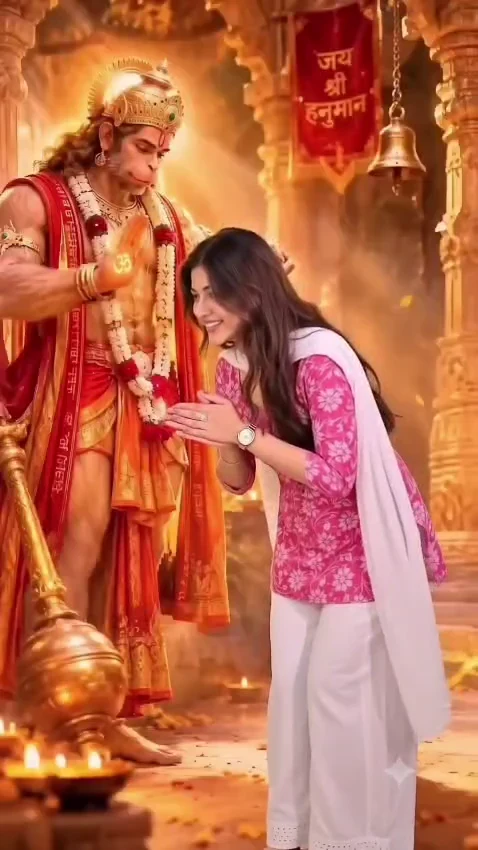
The blessing: the girl bows with folded hands in a glowing temple, and Bhagwan places a hand on her head.
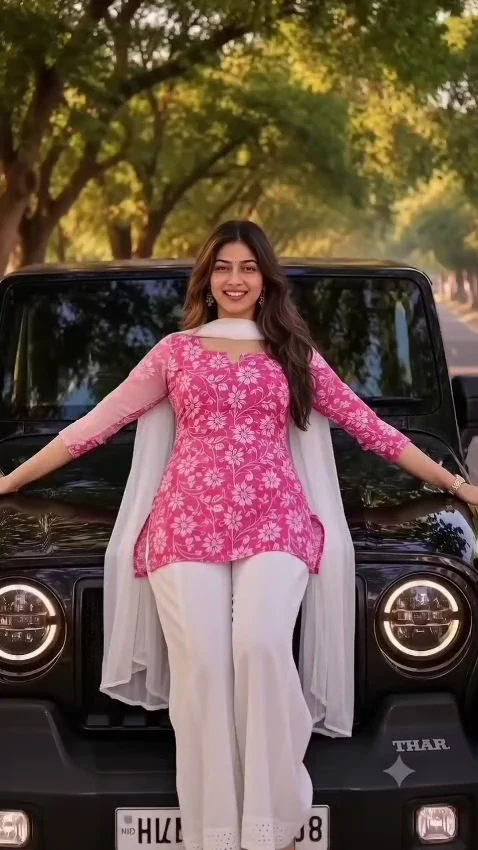
The Thar: she stands in front of a big black Thar, often decorated with flowers like a brand-new car at a puja.
The other wishes: a white luxury car, a gym, and a dance in a plain studio between the scenes.
The palace: she ends in a golden palace hall with a chandelier and money flying around her.
The same face and the same outfit stay in every scene. That's what makes it look like one story, and it's exactly what Google Flow is good at when you give it a reference video and an image of the person.
What you need for this trend
The reference video. Download it from the top of this guide. It already holds every scene, so you don't have to describe them.
One clear photo of yourself. You'll turn it into a character sheet in Step 2.
ChatGPT, to make the character sheet in image mode.
A Google account. Flow runs on it, and free accounts get 50 credits a day.
Google Flow. Open it at labs.google/flow in your browser or use the Flow app.
Instagram, to add the song at the end.
Step 1: Download the reference video
Scroll back up to the video at the top of this guide and tap Download video. Save it to your phone's gallery.
The video is muted on purpose. Flow often fails with videos that have sound. Using a different clip? Mute it in CapCut or VN first, and use any clip only as a reference for your own generation. Don't repost someone else's reel as your own.
Step 2: Make a character sheet in ChatGPT
In my reel I didn't upload a plain photo to Flow. I uploaded a character sheet: one image that shows the same girl in the same outfit from four angles. Flow sees the face and the outfit from every side, so it keeps them steady through all the scene changes, even when she bows in the temple and her face turns down.
I made the sheet in ChatGPT's image mode from one photo:
Open ChatGPT and switch to image mode (create image).
Upload one clear photo of yourself: facing the camera, in daylight, full face visible, no sunglasses, cap or hair over the eyes. Wear the outfit you want in the reel. The pink suit in the trend comes from the photo, not from the video.
Paste this prompt and generate:
Using the uploaded reference image, create a professional character reference sheet of the SAME person. Keep the face, facial structure, skin tone, age, hairstyle, hair color and outfit exactly identical to the reference — no beautification, no changes to identity.
LAYOUT (vertical 2:3 canvas, 4 panels separated by thin light-purple borders):
LEFT COLUMN (full height, ~45% width): full-body front view, standing straight, feet slightly apart, arms relaxed behind the back, entire outfit and shoes visible head to toe.
TOP RIGHT (large panel): tight front-facing headshot, framed from top of head to collarbone, looking straight into the camera, neutral serious expression.
BOTTOM RIGHT, LEFT HALF: three-quarter view (head and shoulders), face turned ~45° to the side, eyes toward the camera.
BOTTOM RIGHT, RIGHT HALF: full side profile (head and shoulders), facing right, 90° profile.
STYLE:
Clean seamless studio backdrop in soft lavender / periwinkle (#B9B4F0) across all panels
Even, soft studio lighting with gentle shadows, no harsh contrast
Ultra-realistic photography, sharp focus, natural skin texture with pores and fine lines
Consistent lighting, color grading and outfit details across every panel
Shot on 85mm lens, high resolution, catalog / casting-sheet aesthetic
NEGATIVE: no text, no labels, no watermark, no extra people, no distorted hands, no change in face between panels, no different clothing between panels.
Check the result before you download it. The face should look like you in all four panels, and the outfit should be the same everywhere. If the face drifts in one panel, generate again.
This is the sheet I used for my reel:
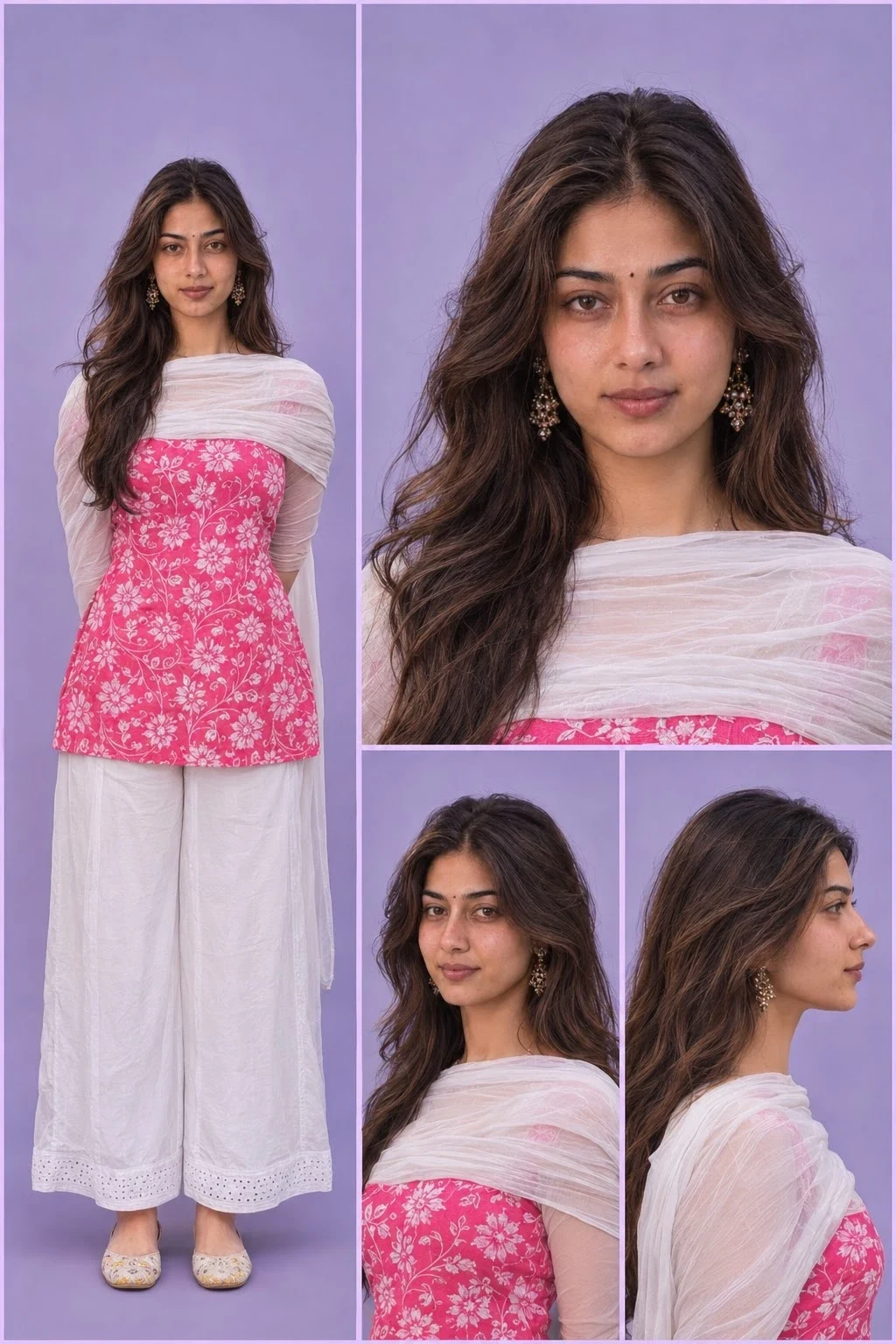
No time for a sheet? A single clear photo also works in Flow, but the face may slip more between scenes.
Step 3: Copy the prompt
This is the exact prompt I used. It's short on purpose: the video already holds the scenes, the blessing, the Thar and the palace, so the prompt only has to say what to change.
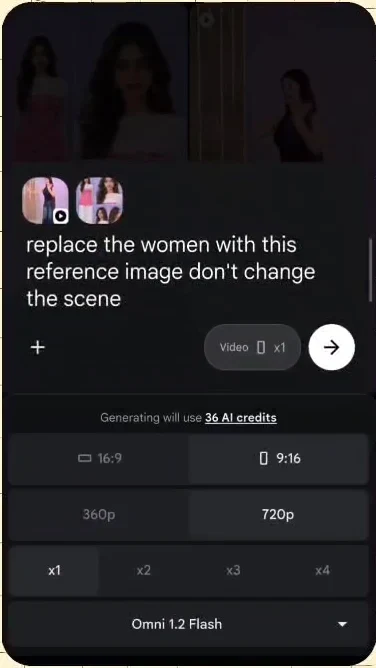
replace the women with this reference image don't change the scene
For boys: change "the women" to "the man".
Prefer a more detailed prompt? This English version says the same thing and adds a few guardrails. Try it if the short one keeps changing your face or the scenes:
Use the reference video for everything: every scene, the timing, the camera angles, the cuts and the colours. Replace only the girl with the person in my reference image. Keep her face, hair and outfit exactly as in my image in every single scene, from the first frame to the last. In the temple scene, keep Bhagwan blessing her with a hand on her head while she bows with folded hands. Keep the black Thar, the cars, the gym and the golden palace hall with the chandelier exactly as in the video. Do not add any text, titles, captions or logos.
Step 4: Upload both files in Google Flow
Open Google Flow and sign in.
Tap + and choose Images (or Library, if you've used the files before). Add your reference image and the reference video.
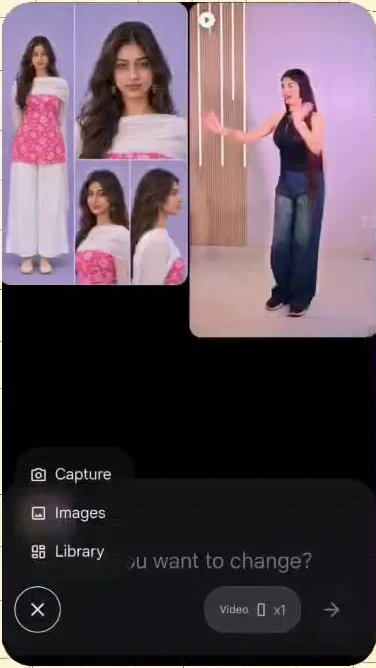
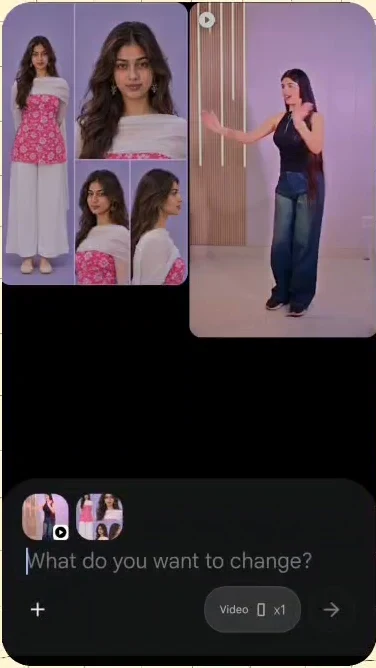
Tap both so they're attached to the prompt box. You should see two small thumbnails above it, and the box changes to "What do you want to change?". If your image isn't attached, Flow keeps the original girl's face.
Step 5: Paste the prompt and choose the settings
Paste the prompt into the box, then open the settings and set:
Aspect ratio: 9:16 (vertical, for Reels)
Quality: 720p
Outputs: x1
Model: Omni 1.2 Flash
With these settings Flow showed "Generating will use 36 AI credits". Check the number Flow shows before you tap generate, because costs change.
Step 6: Generate and check the result
Tap the arrow and wait. A new tile appears with a Generating percentage. Don't close the app while it runs.
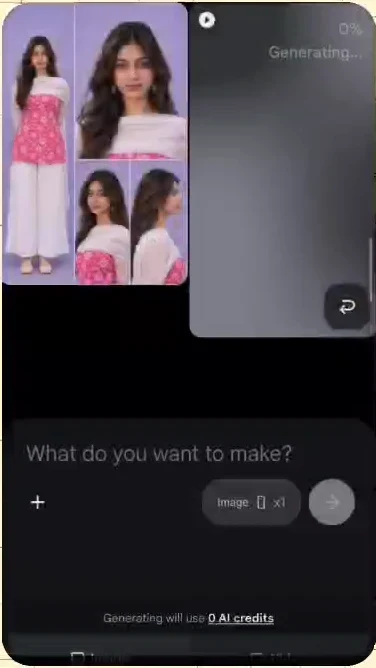
When it's ready, watch the whole clip before you download it. Check three things:
The face: is it you in every scene, especially when you bow in the temple and your face is turned down?
The outfit: does it stay the same from the temple to the palace?
The scenes: are the blessing, the Thar and the palace all there, in the same order as the reference?
Here's what my result looked like in the three main scenes:
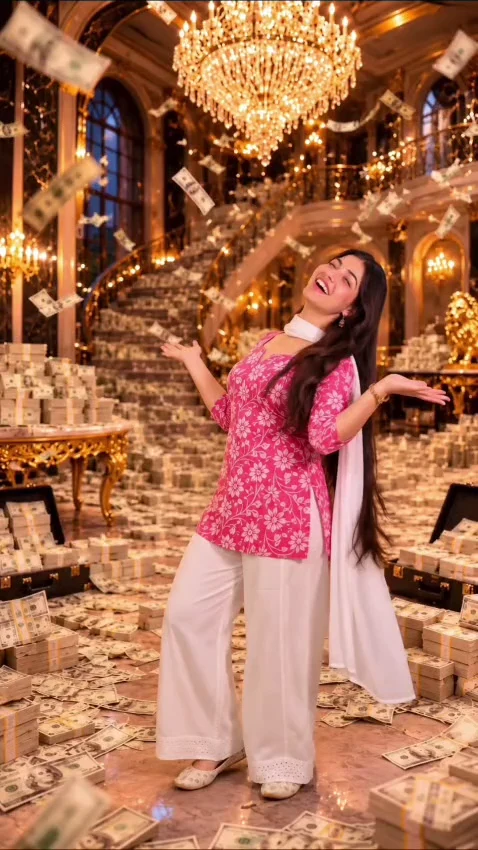
If one of the checks fails, generate again. Flow gives a slightly different result every time, so a second try is normal.
Step 7: Add the song and post
Download your video from Flow.
Open Instagram, tap +, choose Reel and select your video.
Tap the music icon and search for the trending audio, or open any Bhagwan Ek Thar De Do reel, tap the audio name and choose Use audio.
Line up the cuts with the beat, add a caption and post.
Adding the song inside Instagram keeps it licensed. If you add a film song in an editing app and upload the file, Instagram may mute your reel.
Caption idea: keep it short and play along with the joke, like "Maanga tha bas ek Thar…" with the trending audio. A funny line makes people watch to the end.
Common problems and fixes
The face isn't you. Your image wasn't attached, or it was blurry. Fix: use a sharp, front-facing image and check that both thumbnails sit above the prompt box before you generate.
The face changes in the temple scene. The girl bows and her face turns down, which is the hardest moment for Flow. Fix: use the character sheet from Step 2 instead of a single photo, or try the detailed English prompt above.
The outfit changes between scenes. Fix: use the detailed prompt, which says to keep the outfit from your image in every scene.
Flow shows an error when you upload the video. Fix: the clip probably has sound. Use the muted reference from this page, or mute your own clip first.
Flow shows an error with your photo. Some photos just don't work. Fix: try a different photo of yourself, in a different outfit, before you change anything else. That fixed it for me on the Jatayu edit.
The video comes out horizontal. Fix: set 9:16 before you generate.
Strange hands or extra fingers. A common AI video weakness. Fix: generate again and keep the best one.
Tips for a better reel
Pick a bright, simple outfit for your image. The pink suit in the trend stands out against the gold temple and the black Thar.
Keep your hair neat in your photo. Messy hair can look odd when you bow.
Want a different Bhagwan? My reel ends with a version where Lord Shiva blesses the girl. Use a reference video with the scene you want, and keep the same prompt.
Post while the audio is trending. Trends like this peak within a couple of weeks.
FAQ
Which app is used for the Bhagwan Ek Thar De Do trend? Google Flow with the Omni 1.2 Flash model. You attach the reference video and your image, paste a one-line prompt and generate.
How many credits does it cost? My 9:16, 720p video with one output cost 36 credits. Free accounts get 50 credits a day, so you can make it for free. Check the cost Flow shows before you generate.
Do I need a character sheet, or is one photo enough? One clear photo works. A character sheet keeps the face and outfit steadier through all the scene changes, which is why I used one.
How do I make the character sheet? Upload your photo in ChatGPT's image mode and paste the character sheet prompt from Step 2. It gives you one image with a full-body view, a close-up, a three-quarter view and a side profile.
Can boys make this trend? Yes. In the prompt, change "the women" to "the man", and use a reference video with a boy if you want the scenes to fit.
Can I use someone else's photo? Only with their permission. Don't make videos of real people, including celebrities, without their consent.
Try these next
Want a still image in the same devotional mood for your thumbnail or a carousel? Try the Lord Shiva reaching for the divine hand prompt, the Krishna look prompt with flute and peacock feather, or the Lord Ganesha blessing prompt. The Ganesha trending prompts collection has more.
Liked this one? Make the Jatayu edit, with a giant eagle rising behind you, or the Guzarishon Pe glow-up reel. Into cars? The viral AI car swap video guide puts you next to a different ride.
If you make your own Bhagwan Ek Thar De Do reel, tag @bhagat_edits on Instagram. I'd love to see it.