Google Flow Free: Daily Credits, Jio Offer, Settings, Fixes
Use Google Flow free: 50 credits a day, 1,000 a month with the Jio offer, the exact settings, adding a reference video and photo, and error fixes.
By Rupesh Bhagat ·
Last updated: 27 November 2026. Google Flow changes its models and credit costs often, so I'll update this guide when they change.
Google Flow is Google's free AI video maker. It's what I use for every trend video on Visulora: the Jatayu edit, Bhagwan Ek Thar De Do, Sher of Arabia, Luxury Mafia and more. You upload a reference video and your photo, write one short prompt, and Flow puts you into the scene. This guide covers everything around the prompt: how the free credits work (and the Jio offer that gives you much more), the exact steps and settings in the Flow app, and how to fix the errors you'll most likely hit.
What is Google Flow?
Flow is Google's AI tool for making short videos and images. You can describe a scene in words, or (the way most Instagram trends are made) give it a reference video for the scene and a photo of yourself for the person. Flow then makes a new video with your face in the same scene, with the same camera moves and timing.
Where: the Google Flow app on your phone, or labs.google/flow in your browser.
Account: it runs on your Google account.
Model: I use Omni 1.2 Flash for all my current videos.
Is Google Flow free?
Yes. Flow works on credits, and there are three ways to get them:
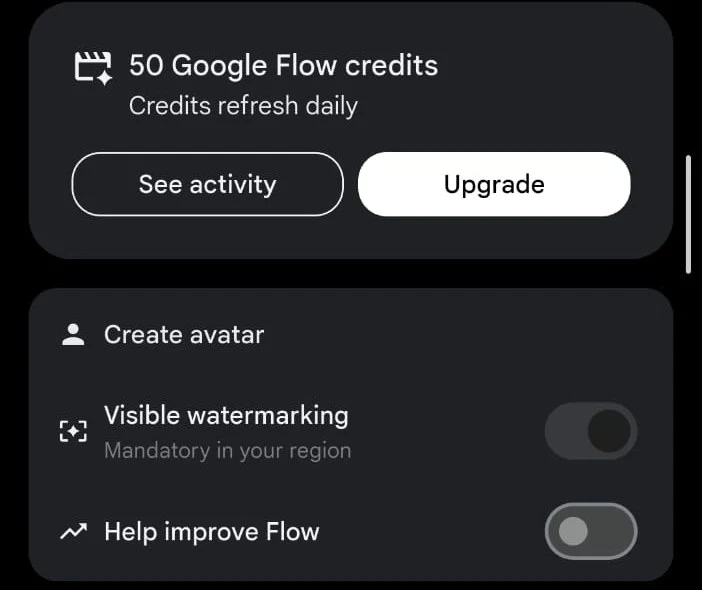
Free: every Google account gets 50 Flow credits a day, and they refresh daily. You can see yours under your profile picture → Account. Unused credits don't carry over.
Jio offer (India): if you have a Jio SIM on an eligible active plan, you get 1,000 Flow credits a month at no extra cost. Open the MyJio app and check the Google AI offer to see if your number is eligible. That's how my own account is set up.
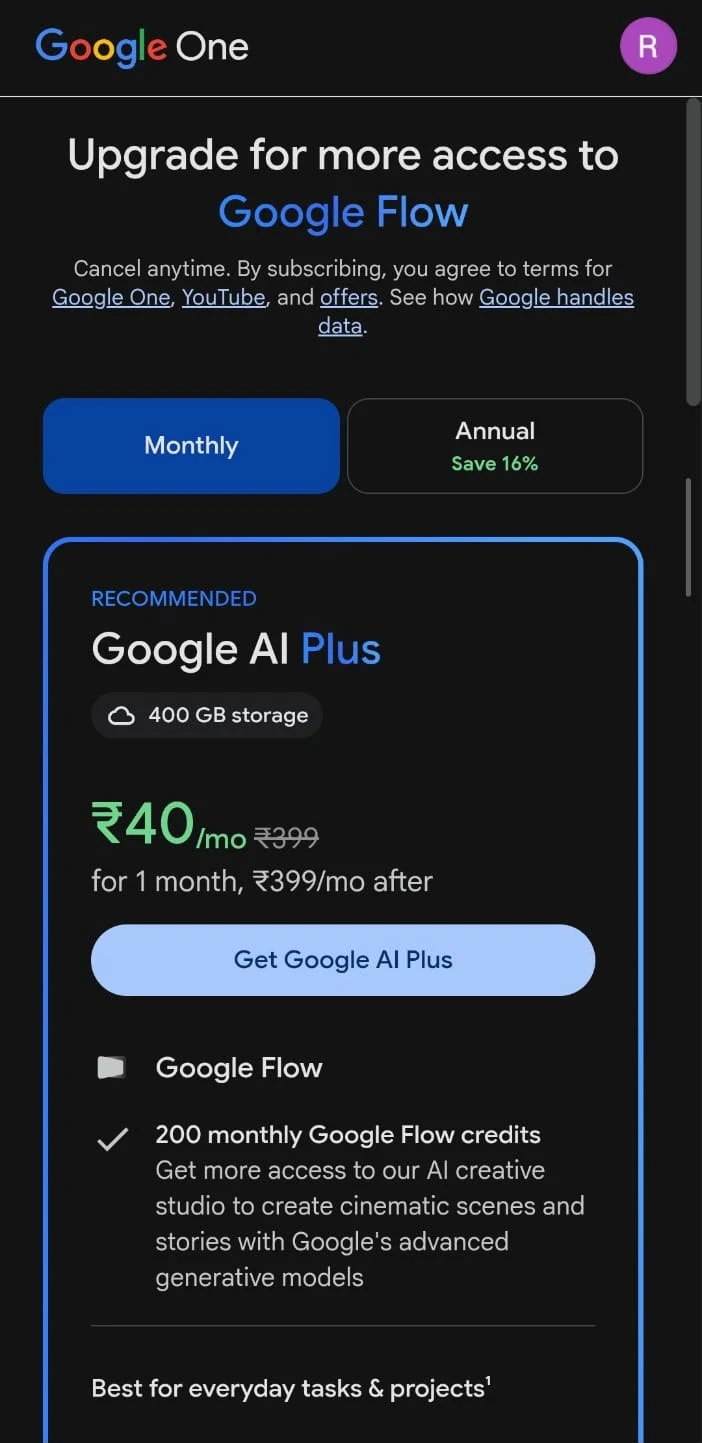
Paid: Google AI Plus gives 200 Flow credits a month (₹399 a month in India in November 2026, often with a cheaper first month). Higher plans give more.
What a video costs. Flow shows the cost before you generate ("Generating will use 30 AI credits"). In the model menu:
Omni 1.2 Flash: 30 credits per video. I use it for every trend video (best faces and motion).
Omni 1.1 Flash: 15–20 credits per video. Google is retiring it on 5 December 2026.
Veo 3.1 Lite: 10 credits per video. Text-to-video only; it was greyed out when I added a reference video.
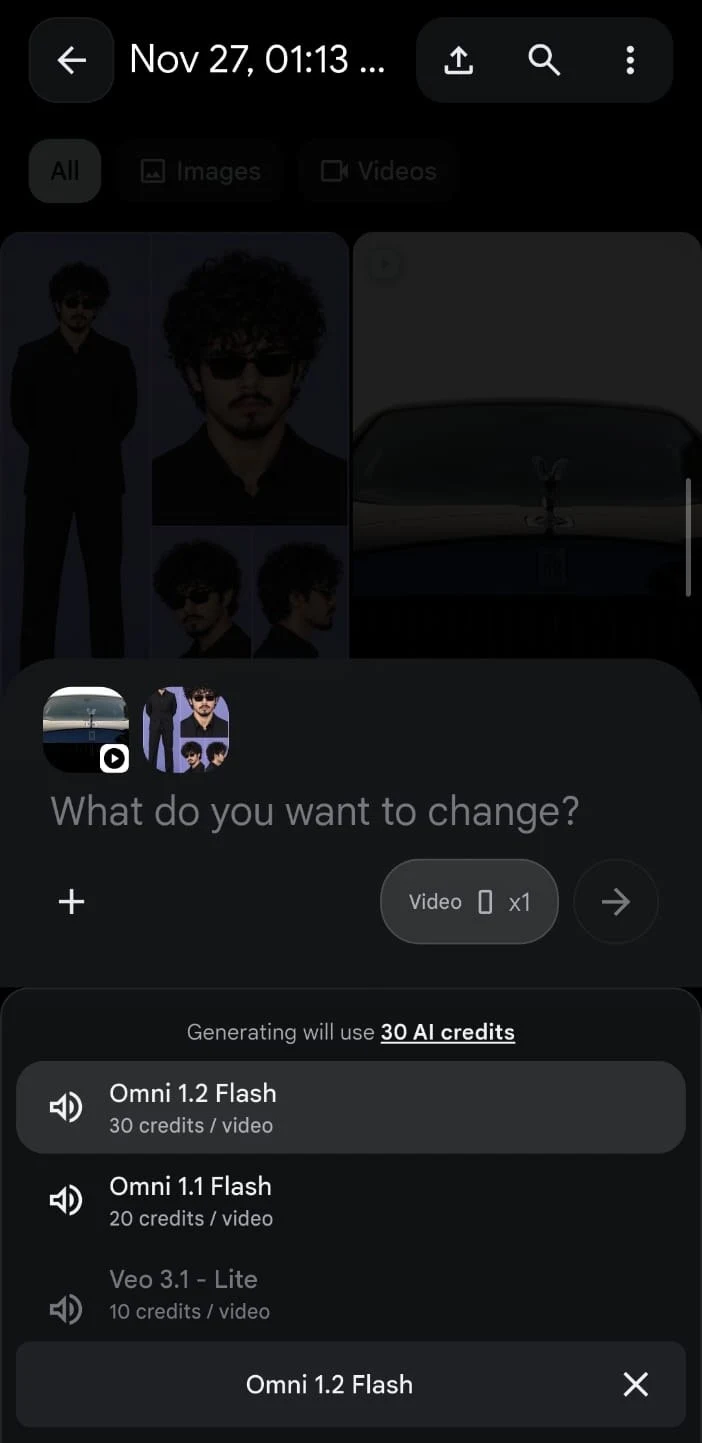
So with the free 50 a day you can make one Omni 1.2 Flash video a day. With the Jio 1,000 a month, that's about 33. Edits with two people or several reference images can cost more (my couple and Stone Castle edits showed 60), so check the number every time.
One more thing: in India, Flow adds a visible watermark to your videos, and the app says it's "mandatory in your region".
How to make a video in Google Flow (step by step)
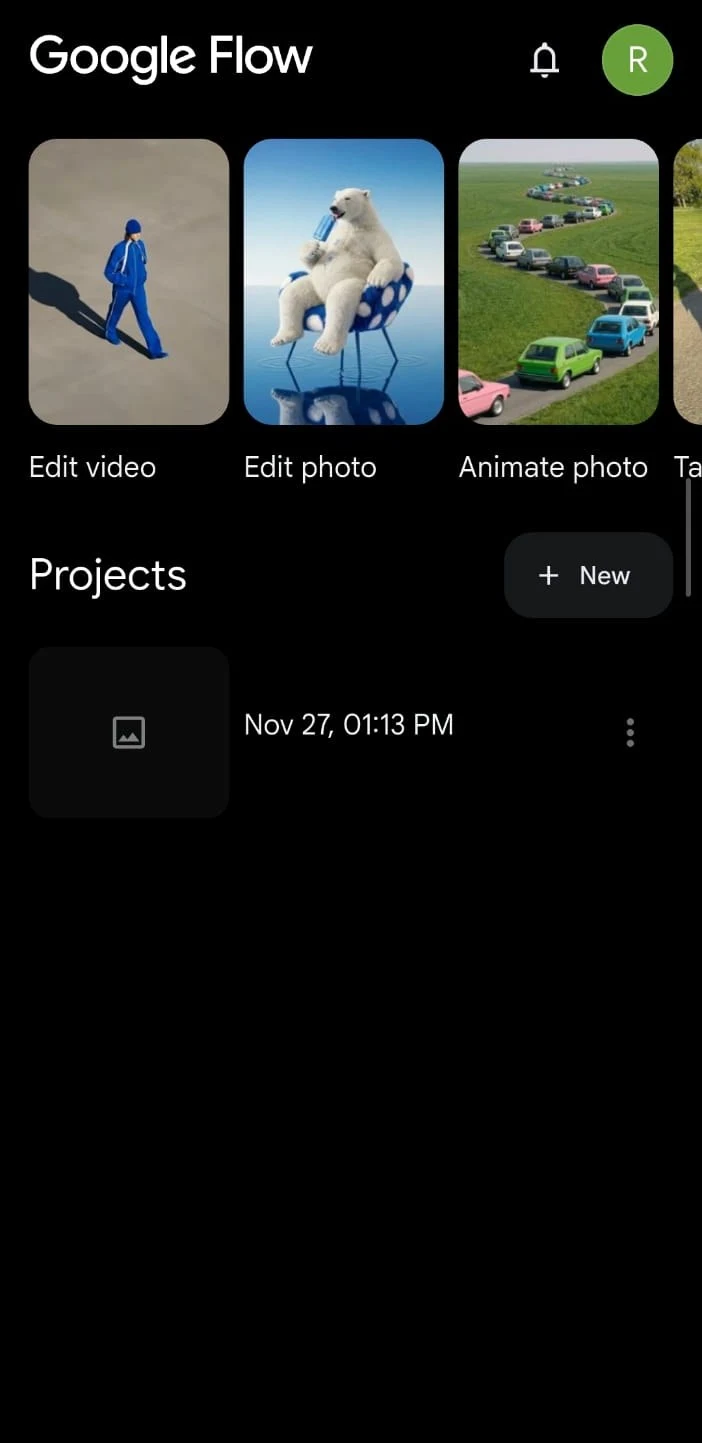
Step 1: Start a new project Open the Flow app. Under Projects, tap + New.
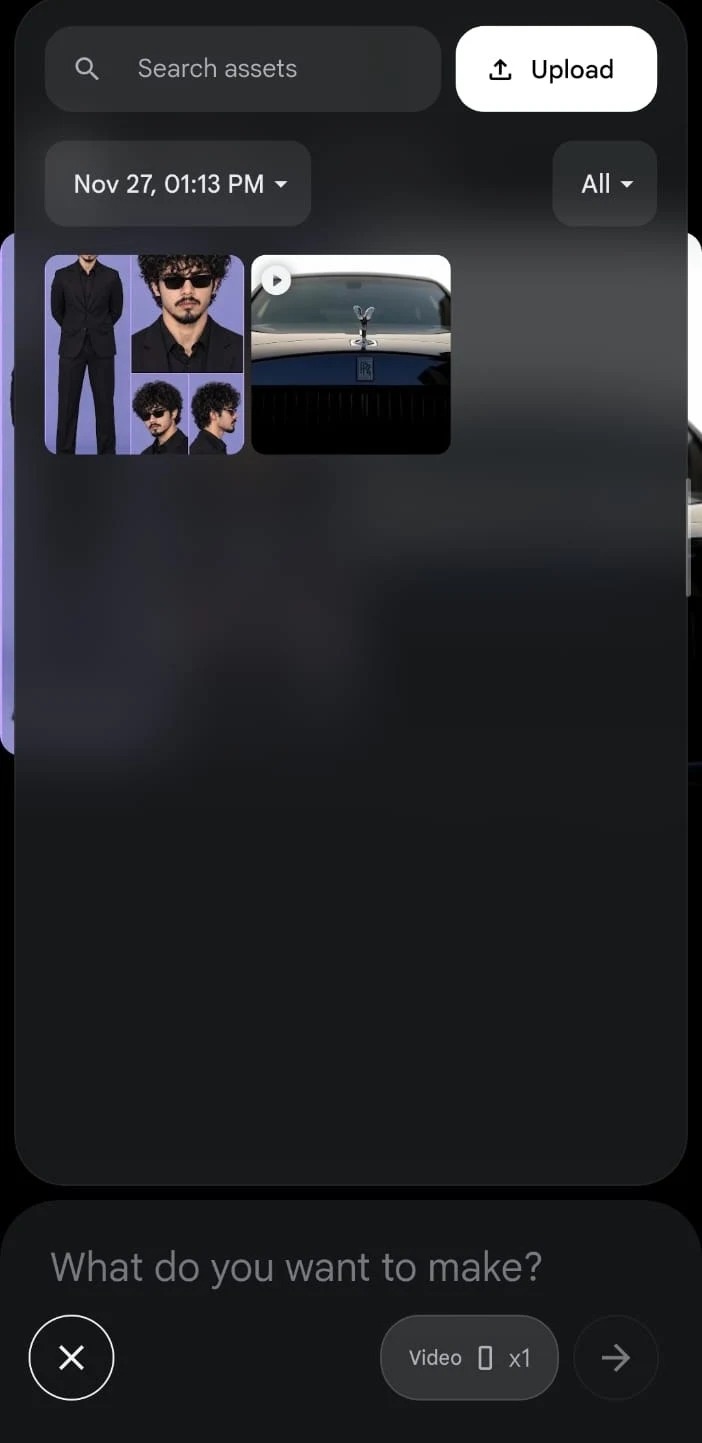
Step 2: Upload your reference video and your photo In the empty project, tap Upload (or the + next to the prompt box) and add two things: the reference video and your photo (or a character sheet: one image with your face from several angles, like mine below).
A good reference video is:
muted: Flow often fails with videos that have sound;
short: Flow asks you to trim it (see Step 3);
the same shape you want your result to be (9:16 for Reels, 16:9 for horizontal).
Every trend guide on Visulora has a ready, muted reference video you can download.
Step 3: Trim the reference video When you add a video, Flow opens Trim video. Drag the handles to keep the part you want (around 10 seconds), then tap Next. Shorter clips are faster and less likely to fail.

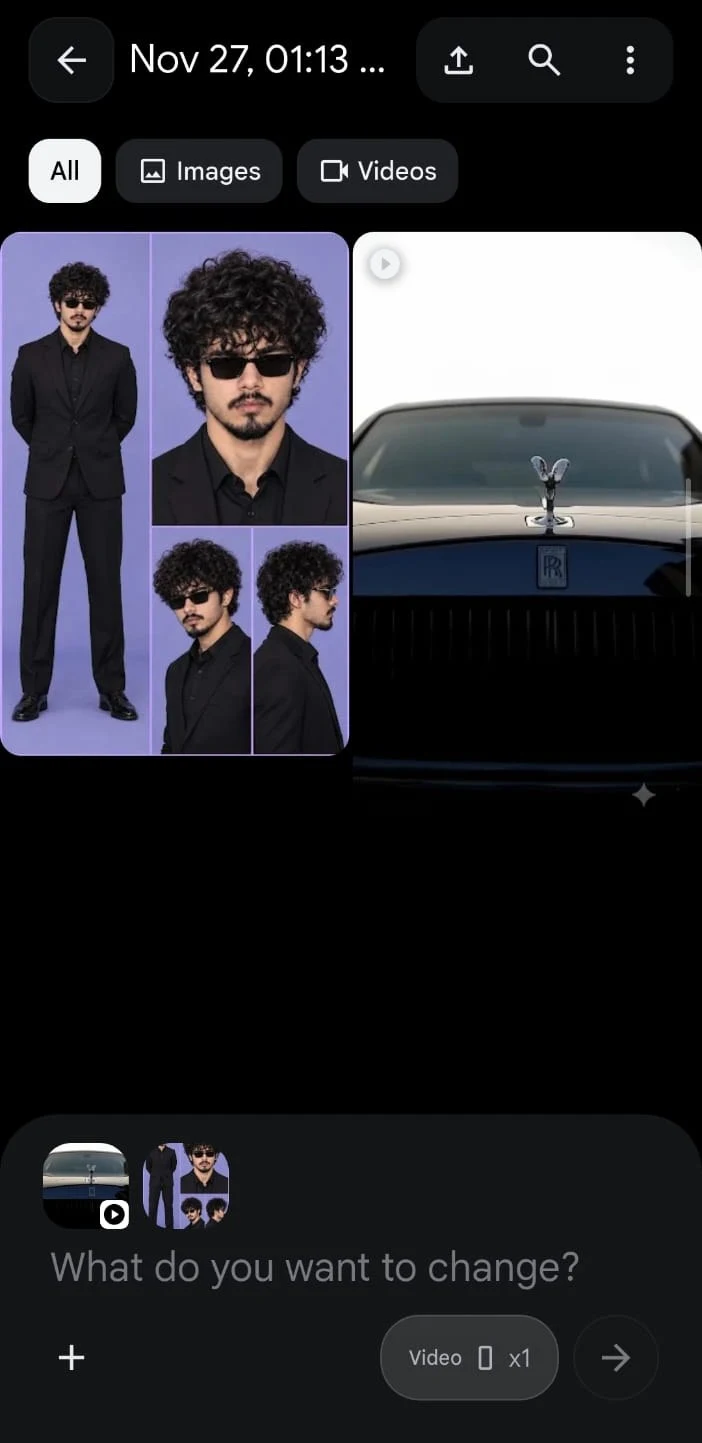
Step 4: Check both references and write the prompt Select the video and your photo. Their thumbnails appear above the prompt box, and the box changes from "What do you want to make?" to "What do you want to change?". That's how you know Flow will edit the video instead of making a new one.
Type a short prompt. The reference video already holds the scene, so the prompt only says what to change, e.g. "Replace the person in the video with the person in the uploaded photo. Keep everything else the same." Every trend guide on Visulora gives you the exact prompt I used.
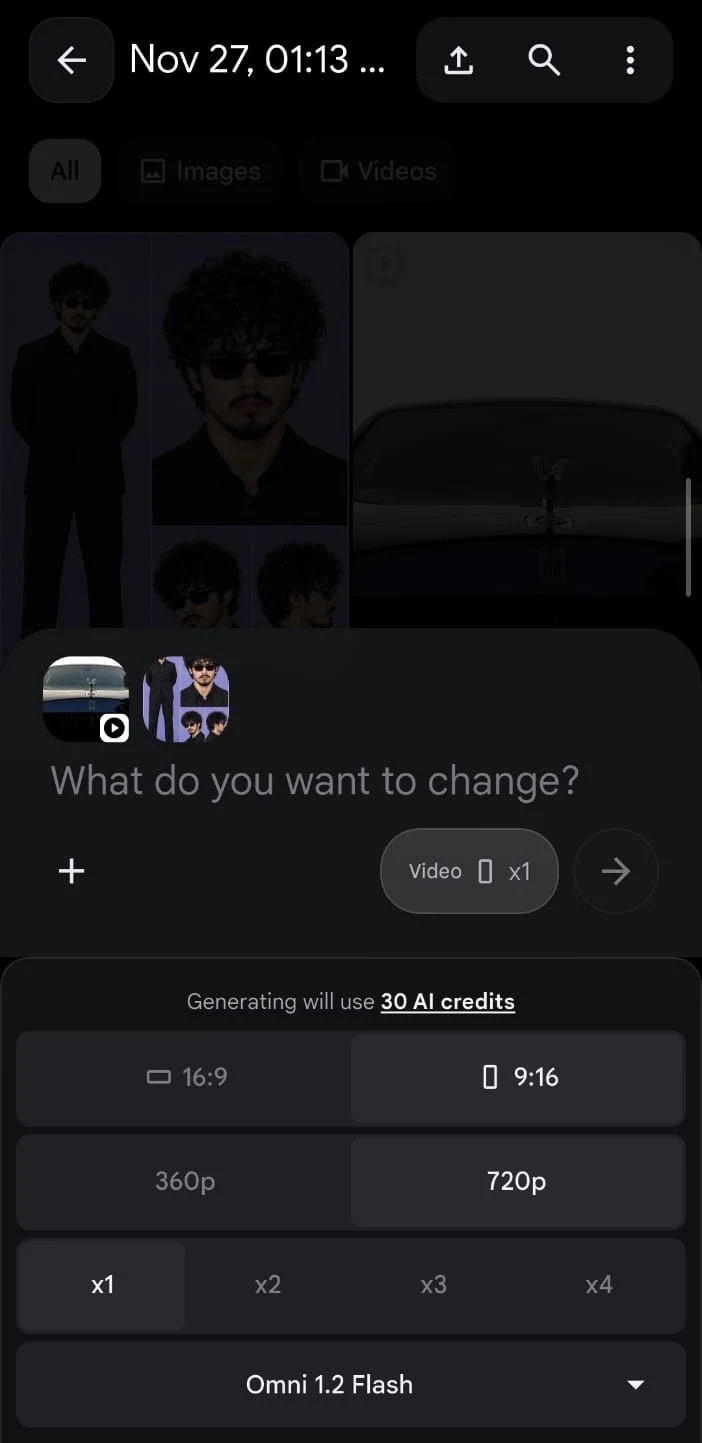
Step 5: Choose the settings Tap the Video ▯ x1 button next to the arrow. (If it says Image, switch it to Video first.) These are the settings I use for every trend video:
Aspect ratio: 9:16 for Reels and Shorts (16:9 only if your reference video is horizontal)
Quality: 720p
Outputs: x1 (x2–x4 multiply the credits)
Model: Omni 1.2 Flash
The top of the panel shows the cost: "Generating will use 30 AI credits".
Step 6: Generate and download Tap the arrow and wait. Watch the whole clip before you download it, and check your face in the close-ups. Then download it and add the song inside Instagram, so the music stays licensed.
Common Google Flow errors and fixes
Flow shows an error when you upload the video. The clip probably has sound or is too long. Mute it in CapCut or VN and trim it to around 10 seconds.
Flow shows an error with your photo. Try a different photo: sharp, front-facing, no filters. That fixed it for me on the Jatayu edit.
The prompt box says "What do you want to make?" Flow doesn't have your reference video selected. Select the video and your photo so the box says "What do you want to change?".
It's stuck on "generating" in the evening. Free users may not be able to generate during peak hours, roughly 7:30 PM to 10:30 PM IST. Try in the morning.
The video costs more than you have. A free account has 50 a day, so a 60-credit edit won't fit. Use the Jio offer, a paid plan, x1 output, or a shorter clip.
The face doesn't look like you. Use a clearer photo, or a character sheet (one image with your face from several angles).
The video comes out horizontal. Your reference video is 16:9. Use a vertical reference and choose 9:16.
Google Flow FAQ
Is Google Flow free in India?
Yes. Every Google account gets 50 Flow credits a day, enough for one Omni 1.2 Flash video. Jio users on an eligible plan get 1,000 credits a month at no extra cost; check in the MyJio app.
How do I get 1,000 Flow credits with Jio?
Have a Jio SIM on an eligible active plan, open the MyJio app, and look for the Google AI offer. If your number is eligible, claim it with the same Google account you use for Flow.
How many credits does a video cost?
Omni 1.2 Flash shows 30 credits per video. Omni 1.1 Flash is 15–20 and Veo 3.1 Lite is 10. Edits with two people or several references can cost more.
How do I add a reference video in Google Flow?
In a new project, tap Upload (or +), add your muted reference video and trim it, then add your photo. When both thumbnails sit above the box that says "What do you want to change?", you're ready.
Why is there a watermark on my Flow video?
In India, Flow adds a visible watermark to videos; the app says it's mandatory in your region.
Which model should I choose?
Omni 1.2 Flash. Google is retiring Omni 1.1 Flash on 5 December 2026.
Trend videos you can make in Flow right now
Each guide has a free muted reference video and the exact prompt:
For AI photos instead of videos, see How to Use AI Photo Prompts in ChatGPT and in Gemini.